
We’ve all been there. You get that electricity bill, and your jaw drops. “Where did all this come from?” you wonder, scrutinizing every appliance, every lightbulb. You might even start turning things off at the wall religiously. But often, the real culprit isn’t what’s switched on, but what’s still quietly drawing power even when it’s off. This is what I call the “silent home battery drain.” It’s a sneaky, often-overlooked factor that slowly but surely chips away at your wallet, and it’s something that’s become even more relevant with our increasingly tech-heavy lives in 2026.
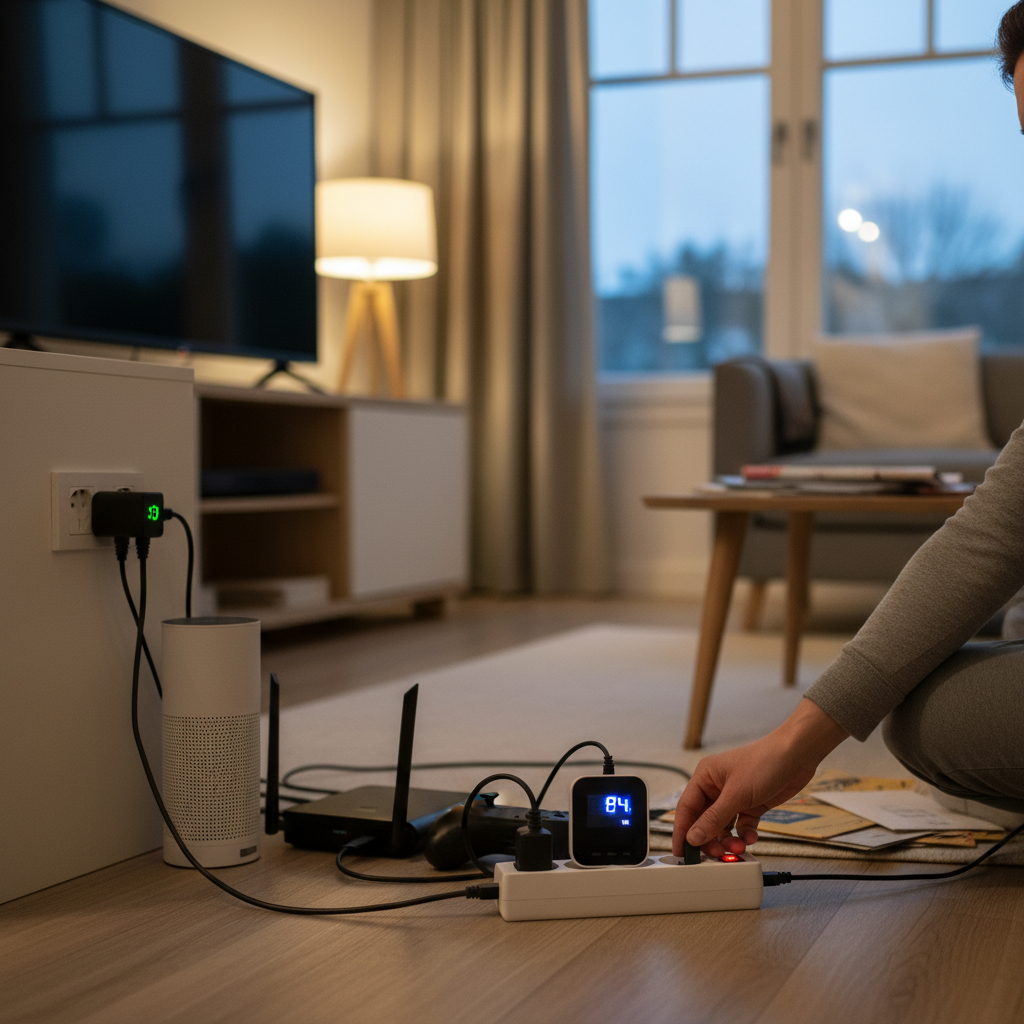
The Invisible Energy Thief: Standby Power
Most of us don’t think twice about leaving our TVs, computers, and even our phone chargers plugged in. We flip the switch on the power strip, and we assume “off” means “off.” But that little red light on your TV? That’s not just a friendly reminder it’s ready to go; it’s a sign that it’s still consuming electricity. This is what’s known as “phantom load” or “vampire power,” and it’s a far bigger problem than most people realize. Think of it like a dripping faucet – a small leak that, over time, wastes a significant amount of water. In this case, it’s wasted electricity.
This habit often goes unnoticed because the energy drain from each individual device seems small. A few watts here, a few watts there, how much difference can it make? But these small amounts add up. And with more and more devices in our homes – smart TVs, gaming consoles, home automation systems, and all the chargers we have for our phones, tablets, and smartwatches – the cumulative effect can be substantial. It’s like having dozens of tiny energy vampires feeding off your electrical system 24/7.
The Hidden Costs of Convenience
So, why do we let this happen? Convenience is a big part of it. We like the idea of being able to turn on the TV instantly or charge our phones overnight without having to find an outlet. We also tend to assume that modern appliances are energy-efficient, and they are, compared to older models. But that efficiency is often negated by the constant drain of standby power.
Another reason is simply a lack of awareness. We aren’t always aware of which devices consume power when turned off. And even if we are, the information isn’t always readily available. Manufacturers don’t always highlight standby power consumption, and energy labels don’t always give us the full picture.
Common Mistakes and Myths
Let’s debunk some common myths and mistakes related to this issue:
- Myth: Unplugging appliances all the time is too much hassle. Yes, it can be, but there are smarter ways. We’ll get into that in a bit. The point isn’t to drive yourself crazy, it’s about making small, impactful changes.
- Mistake: Leaving chargers plugged in, even when the device is fully charged, doesn’t matter. It does! While modern chargers are designed to stop charging once the device is full, they still draw a small amount of power. It’s not a huge amount, but it contributes to the overall drain.
- Myth: Older appliances are the only culprits. While older appliances are generally less energy-efficient, even newer ones have standby power needs. The problem has gotten a bit worse, too, with more “always-on” features in modern tech.
Practical Tips to Stop the Drain
Okay, so how do you fight back against these silent energy thieves? Here’s a set of easy-to-implement tips I’ve learned over the years:
1. Use Power Strips Wisely
This is the simplest and most effective solution. Plug multiple devices into a power strip and switch the strip off when you’re not using those devices. This is especially useful for entertainment centers, computer setups, and home office equipment. Look for power strips with a built-in on/off switch or even smart power strips that detect when a device is in standby mode and cut off the power automatically. These smart strips are a great investment for long-term savings.
2. Unplug Chargers
It’s a simple habit, but it makes a difference. When your phone or tablet is charged, unplug the charger. This is a good habit to teach kids, too. It’s also a good way to extend the life of your chargers, as constant use does wear them out over time.
3. Be Mindful of “Always-On” Devices
Some devices, like smart speakers, routers, and certain security systems, need to be on constantly. But even these can be optimized. For example, make sure your router isn’t in an area where it’s overheating, as that can make it work harder. Also, consider the features you actually use. Do you really need that “always listening” mode on your smart speaker? Some features can be power-hungry.
4. Upgrade to Energy-Efficient Appliances
When it’s time to replace appliances, look for those with good energy ratings. Even if the initial cost is higher, the savings on your electricity bill will often make up for it over time. Check the Energy Star ratings, which can help guide you toward the most efficient choices.
5. The Home Office Hack
If you work from home, the silent drain is amplified. Your computer, monitor, printer, and other devices are likely on for hours. Use a power strip to control these devices. At the end of the workday, turn the strip off. If you are going to be away for a while, unplug as many devices as possible.
6. The Appliance Audit
Once a year, or even twice, walk around your home and take stock of all the electronics and appliances. Note which ones are always plugged in and consider how you can reduce their standby power consumption. It can be eye-opening to see the extent of the silent drain.
7. Smart Home Integration
For those who love tech, smart home systems offer even more control. You can use smart plugs to control devices remotely or set schedules for them to turn on and off. Some systems even monitor energy usage and provide insights into your consumption patterns. Smart home systems are also becoming increasingly affordable, making them a viable option for many households.
How These Habits Matter More in 2026
In 2026, the issue of standby power is more significant than ever. We’re living in a world of connected devices – smart homes, the Internet of Things, and an array of gadgets we use every day. Each of these devices consumes some amount of power, even when seemingly idle.
Our lifestyles have also changed. Many of us work from home, and our reliance on technology has increased. This means our devices are plugged in more often and for longer periods. Moreover, the cost of electricity continues to rise. In most parts of the country, energy prices are higher than they were even five years ago. So, the cost of these small energy leaks adds up faster than it used to.
The Long-Term Benefits
Making small changes can deliver big results. By addressing the silent home battery drain, you can:
- Save Money: Reduce your electricity bills month after month.
- Extend Device Lifespans: Unplugging chargers and devices reduces wear and tear and could save you from having to replace your devices as frequently.
- Reduce Your Carbon Footprint: Lower your energy consumption.
- Gain Peace of Mind: Knowing that you’re in control of your energy usage.
In essence, taking control of standby power is a simple yet powerful way to make your home more efficient, your finances healthier, and your life a little easier. It’s about being a bit more mindful of how we use energy, making smart choices, and enjoying the long-term benefits of a more sustainable and cost-effective lifestyle. Think of it as a small investment in your future, with rewards that keep on giving.
Frequently Asked Questions
Here are some of the questions I often get about this topic:
- Is it really worth the effort to unplug chargers and devices? Absolutely! While the individual savings might seem small, they accumulate over time. Think of it like putting a few dollars in a savings account. It adds up.
- Do newer appliances use less standby power? Generally, yes. Appliance manufacturers are constantly improving energy efficiency. But even newer appliances have a standby mode that consumes some electricity.
- Are there any devices that I shouldn’t unplug? Yes, devices that need to be on constantly, like refrigerators, freezers, and certain security systems, should not be unplugged. Also, a lot of home network setups require being on, such as a modem and router.
- Can I use a smart plug for all my devices? Yes, in most cases. Smart plugs are a great way to control your electronics, allowing you to turn them on and off remotely or set schedules.
- Do power strips really save money? Yes, they do. By turning off multiple devices at once, you can eliminate a significant amount of standby power consumption.
- How much money can I really save by unplugging devices? The amount varies depending on your lifestyle, the number of devices you have, and your electricity rates. But even small savings can add up to a noticeable amount over a year.
- What about the wear and tear of plugging and unplugging devices? Modern plugs and outlets are designed to withstand regular use. As long as you don’t yank cords violently, you should be fine.
- What’s the best way to get started? Start small. Choose one area of your home, like your entertainment center or home office. Use a power strip to control the devices in that area. Then, gradually expand your efforts.
By taking these simple steps, you can start reclaiming control of your energy consumption and enjoy the benefits of a more efficient, cost-effective home. It’s a small change that makes a big difference. If you would like to know how you can avoid other sneaky home costs, explore Unseen Home Energy Vampires: How to Stop Wasting Electricity and Save Money Without Even Trying for some more helpful tips.