
We’ve all been there, right? You get home after a long day, plug in your phone, maybe a laptop, and maybe a tablet, and call it a night. You’re not thinking about energy vampires or phantom loads, are you? No. You’re thinking about the next episode of whatever show you’re binging. But that simple act of plugging things in, and leaving them plugged in, is doing more than just charging your devices; it’s also quietly eating away at your wallet.
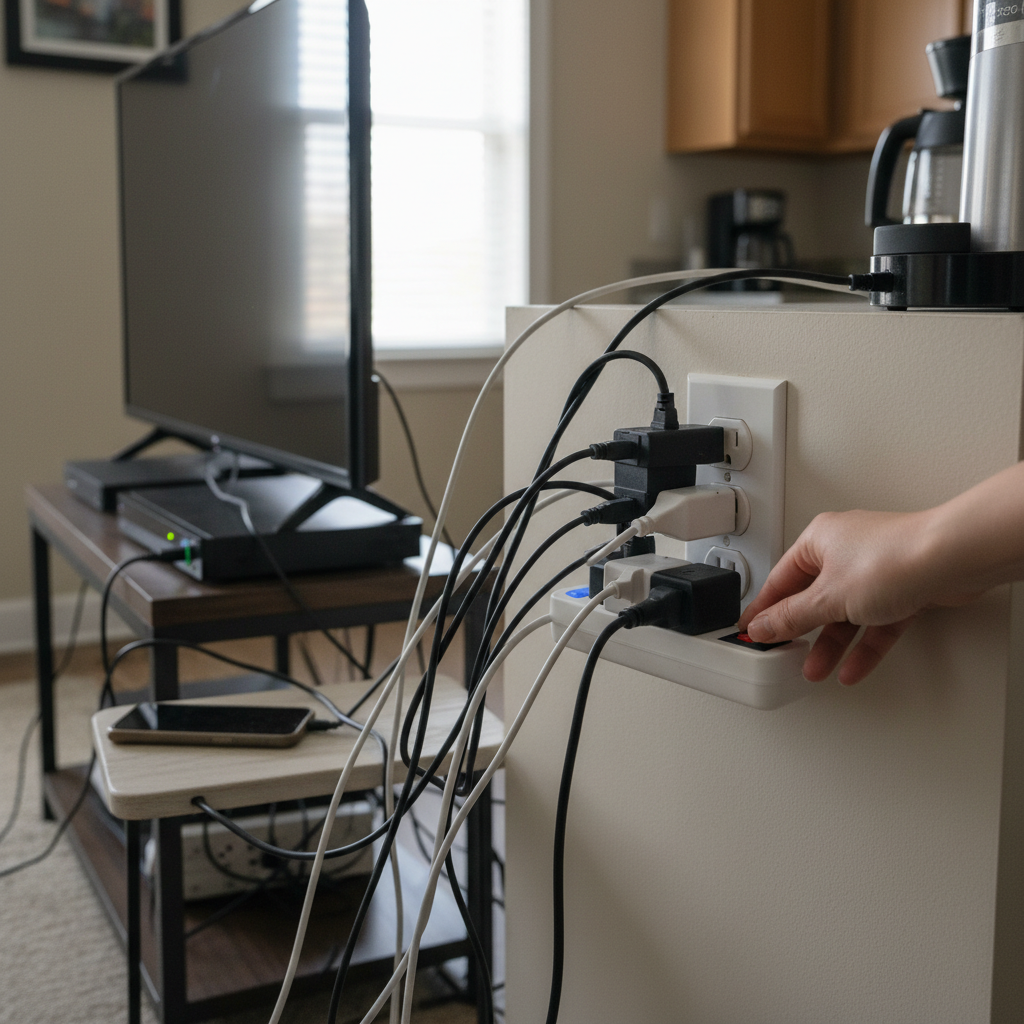
The Unseen Costs of “Always On”
Most of us don’t give a second thought to the outlets scattered around our homes. They’re just there, ready to provide power whenever we need it. But what happens when you leave a charger plugged in even after your phone is fully juiced up? Or when your TV, soundbar, and gaming console are all in standby mode? That’s where the sneaky energy drain begins.
This “phantom load” is the electricity consumed by devices that are turned off but still plugged in. It’s the silent hum of your router, the blinking light on your microwave, the clock display on your coffee maker. Individually, these devices don’t use much power, but collectively, they can add up to a significant amount over time. We’re talking about devices like:
- Phone chargers
- Laptops and adapters
- Televisions and sound systems
- Gaming consoles
- Microwaves and coffee makers
- Cable boxes and streaming devices
- Anything with a power brick
Why do these devices keep using energy? Well, many modern electronics are designed to be “always ready.” They have circuits that are constantly listening for a signal or keeping track of the time. Even if you think a device is off, it might still be drawing a small amount of power to maintain its standby mode or other features.
The Ripple Effect: Beyond Your Electricity Bill
The financial impact of these habits is the most obvious consequence. But the ripple effect goes much deeper, touching on aspects of your daily life you might not even consider.
1. Higher Electricity Bills: This is the most direct consequence. Over months and years, that trickle of wasted energy adds up on your bill.
2. Device Lifespan: Constantly charging devices past 100% can degrade the battery over time. While modern smartphones have built-in safeguards to prevent overcharging, older devices and some cheaper chargers might still subject your devices to unnecessary stress. Additionally, heat is the enemy of electronics, and leaving chargers plugged in can generate heat, potentially shortening the lifespan of both the charger and the device itself.
3. Fire Hazards: Though rare, faulty chargers can overheat and pose a fire hazard. Leaving them plugged in when you’re not around increases the risk.
4. Environmental Impact: Every kilowatt-hour of electricity wasted contributes to the demand for energy, which often means more fossil fuels burned. Reducing your phantom load is a simple way to lessen your carbon footprint.
Common Mistakes and Myths Debunked
Let’s clear up some common misconceptions and bad habits that contribute to this energy drain.
Myth: “Leaving chargers plugged in doesn’t use any energy once the device is fully charged.”
Reality: While some modern chargers might draw less power once a device is full, they still draw a small amount of electricity. It’s always best to unplug them.
Mistake: Assuming all outlets are the same.
Reality: Some older outlets may not be as efficient as newer ones. Consider upgrading your outlets, especially in frequently used areas. Smart outlets can also help you control energy use.
Myth: “Unplugging everything is too much hassle.”
Reality: I get it. It seems like a lot of work. But once you change your habits, it becomes second nature. Think of it like turning off the lights when you leave a room. It’s a small change that makes a big difference.
Mistake: Ignoring the standby modes of your devices.
Reality: Many devices, like TVs and gaming consoles, consume power even when they appear to be off. Check your device settings to see if you can disable quick start or other features that keep them in standby mode.
Simple Habits, Big Savings: Practical Tips to Cut the Drain
Here are some straightforward, easy-to-adopt tips to tackle the phantom load in your home:
1. Unplug, Unplug, Unplug: The easiest and most effective way to eliminate phantom load is to unplug devices when you’re not using them. Make it a habit to unplug chargers, appliances, and electronics when you’re finished with them.
2. Use Power Strips (with a switch): Power strips are your best friend. Plug multiple devices into a power strip, and then turn the strip off when you’re not using those devices. This cuts off power to everything at once. Look for power strips with an individual switch for each outlet for even more control. A power strip with surge protection is an even better option to keep your devices safe.
3. Smart Outlets: These are a fantastic way to automate your energy savings. You can control them with your smartphone or set schedules to automatically turn devices on and off. Some smart outlets even monitor energy usage, allowing you to see exactly how much power each device is consuming.
4. “Energy Saver” Settings: Most modern electronics have energy-saving modes. Take some time to explore the settings on your TV, gaming console, and other devices. You can often adjust settings to reduce the power they use in standby mode.
5. Review Your Routines: Identify the areas in your home where phantom loads are most prevalent. Is it the home office? The entertainment center? The kitchen? Once you know where the energy is being wasted, you can focus your efforts.
6. Upgrade Your Bulbs: Switch to LED bulbs. They use significantly less energy than incandescent bulbs and last much longer.
7. Conduct a Home Energy Audit: A home energy audit can reveal the hidden energy hogs in your house. Your local utility company may offer free or low-cost audits.
Making it Work: Adapting to the Modern Lifestyle
In today’s tech-heavy world, the problem of phantom load is more relevant than ever. With more devices, more chargers, and more connected appliances, the potential for energy waste is constantly increasing. That’s why these habits matter more in 2026 than they did even a few years ago.
Consider the rise of remote work and the number of people now working from home. All those laptops, monitors, and other devices plugged in throughout the day add to your energy consumption. By adopting these simple habits, you can take control of your energy use and make sure your home is running as efficiently as possible.
The Long-Term Rewards: Peace of Mind and Savings
Once you implement these simple changes, you’ll start to see the benefits. Your electricity bills will be lower, your devices will last longer, and you’ll have a greater peace of mind knowing you’re not wasting energy. It’s a small effort that pays off in a big way.
In the long run, you’ll save money, reduce your carbon footprint, and create a more sustainable home. These small changes, consistently applied, can have a surprisingly big impact on your wallet, your home, and the environment. You might even find that these habits have a positive effect on other areas of your life – making you more mindful and efficient in general.
Frequently Asked Questions (FAQs)
1. How much money can I really save by unplugging devices?
The savings will vary depending on the size of your home, the number of devices you have, and your local electricity rates. However, even a few dollars a month can add up to a significant amount over a year. Some people save upwards of $100 annually by unplugging devices.
2. Is it safe to leave my phone charger plugged in all the time?
Most modern chargers are designed with safety features to prevent overcharging. However, it’s still best to unplug your charger when your phone is fully charged to minimize unnecessary heat and potential energy waste.
3. Do smart plugs really work?
Yes, smart plugs are very effective. They allow you to control devices remotely, set schedules, and monitor energy usage. They’re a great way to automate your energy-saving efforts and gain better control over your electricity consumption.
4. What’s the best way to identify energy vampires in my home?
The easiest way is to use a “kill-a-watt” meter, which you can plug into an outlet to measure the power consumption of a device. You can also visually inspect your home and identify devices that are constantly plugged in, even when not in use.
5. Are there any devices I shouldn’t unplug?
Generally, you can unplug most devices. However, you might want to leave essential appliances like refrigerators and freezers plugged in. Also, consider the convenience factor – if you frequently use a device, it might be more practical to leave it plugged in, but use a power strip to switch it off when not in use.
6. Will unplugging my devices damage them?
No, unplugging your devices will not damage them. In fact, it can help extend their lifespan by reducing heat and electrical stress.
7. Do older appliances use more energy?
Yes, older appliances tend to be less energy-efficient than newer models. If you have appliances that are more than 10 years old, consider replacing them with Energy Star-certified models to save energy and money.
8. What about my Wi-Fi router? Should I unplug that too?
You can unplug your Wi-Fi router when you’re not using the internet, like when you’re on vacation or going to bed. However, it will cut off your internet access. If you’re concerned about energy use, consider using a smart plug to schedule your router to turn off at night.