
Picture this: You’re on a video call with your family, laughing and catching up. Suddenly, a little red warning pops up on your phone. “10% battery remaining.” That familiar pang of anxiety hits. Where’s the charger? Can you make it through the call? We all know the feeling. Our smartphones, our constant companions, are powered by batteries, but how do they actually work? Let’s dive in and demystify the magic inside that little rectangular box.
The Big Picture: Stored Energy
At its core, a smartphone battery is a tiny, super-efficient energy storage unit. It’s like a miniature reservoir holding electrical power. The battery stores this power when you plug it in to charge, and releases it slowly when you use your phone. This whole process is based on a fundamental principle of physics: the movement of electrons. Think of electrons like tiny marbles, and electricity is the flow of these marbles through a wire. Batteries are designed to carefully control and harness this flow.
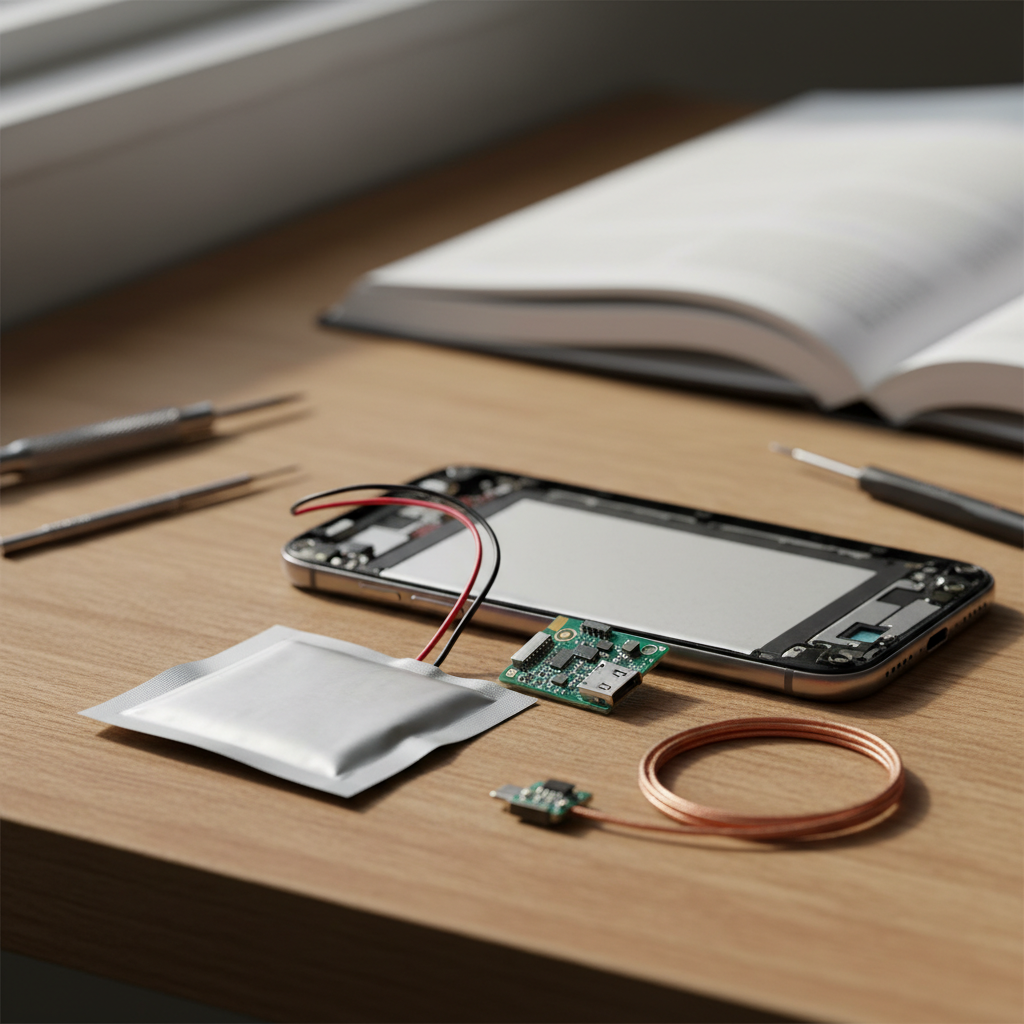
Inside your phone’s battery (usually a lithium-ion or lithium-polymer battery), there are two main components: the positive electrode (cathode) and the negative electrode (anode). These electrodes are separated by a special material called an electrolyte, which allows the flow of charged particles – the lithium ions in this case – between them. When the battery is charging, the lithium ions move from the cathode to the anode. During discharge (when you use your phone), they move back to the cathode. This movement of ions creates a flow of electrons, which is what powers your phone’s screen, processor, and everything else.
Breaking Down the Parts: What’s Inside?
Let’s take a closer look at the key components:
- Electrodes: Usually made of materials like lithium cobalt oxide (cathode) and graphite (anode). These materials are chosen for their ability to store and release lithium ions efficiently.
- Electrolyte: This is a liquid or gel-like substance that acts as a pathway for the lithium ions to travel between the electrodes. It’s like the road the tiny “marbles” use to get from one side to the other.
- Separator: A thin layer of material that sits between the electrodes, preventing them from physically touching and causing a short circuit. It allows ions to pass through while blocking the flow of electrons.
- The Casing: A protective outer shell that houses all these components.
The entire system is incredibly compact and designed to maximize energy density – meaning, to pack a lot of power into a small space.
Step-by-Step: From Power Outlet to Your Pocket
Let’s trace the journey of electricity:
- Charging: When you plug your phone into a charger, electrical current flows from the power outlet into the phone’s battery. This current forces the lithium ions to move from the cathode (positive electrode) to the anode (negative electrode), effectively “stuffing” the battery with energy.
- Discharging (Using Your Phone): When you use your phone, the process reverses. The lithium ions flow back from the anode to the cathode, creating a flow of electrons that powers your phone’s components.
- The Circuit: Your phone’s internal circuits control this flow of electrons, regulating the amount of power used by different apps and functions, and preventing overcharging or over-discharging.
This whole process happens silently and continuously, allowing you to use your phone without needing a direct connection to a power source.
Common Misconceptions: Debunking the Myths
There are many myths about smartphone batteries. Let’s clear up some common misconceptions:
- Myth: “Leaving my phone plugged in overnight damages the battery.” Fact: Modern smartphones use smart charging systems that stop charging once the battery is full, preventing overcharging.
- Myth: “Draining the battery completely before recharging is good for it.” Fact: Older battery technologies (like nickel-cadmium) had a “memory effect” and needed to be fully discharged. Lithium-ion batteries perform best when charged frequently, and a small top-up is generally better than a complete discharge.
- Myth: “Using a non-original charger will ruin my battery.” Fact: While it’s best to use a charger designed for your phone, quality third-party chargers are often safe. The important thing is that the charger delivers the correct voltage and current.
How Habits and Environment Affect Performance
Several factors influence your battery’s lifespan and performance:
- Charging Habits: Regularly charging your phone, and avoiding extreme temperatures, can extend battery life.
- Temperature: Extreme heat or cold can degrade battery performance. Try to avoid leaving your phone in direct sunlight or freezing conditions.
- Usage: Power-hungry apps, screen brightness, and the use of features like GPS and Bluetooth can drain your battery faster.
- Age: Over time, all batteries degrade. They lose their ability to hold a full charge, no matter how carefully you use them.
Consider your phone’s use pattern and take precautions to prevent battery problems.
Modern Relevance: The Fast-Paced World of Battery Tech
Battery technology is constantly evolving. In 2026, we see:
- Fast Charging: Technologies like super-fast charging allow your phone to regain a significant charge in a matter of minutes.
- Wireless Charging: Wireless charging is becoming increasingly convenient, letting you top up your battery without plugging it in.
- Improved Battery Materials: Researchers are working on new battery materials, such as solid-state batteries, that promise greater energy density, faster charging, and longer lifespans.
- Software Optimizations: Phone manufacturers are constantly optimizing their software to reduce power consumption and extend battery life.
The race to improve battery technology is driven by the ever-growing demand for more powerful and longer-lasting smartphones. We’re also seeing the rise of energy-efficient systems, in general, including developments in electric vehicles and home energy storage.
How to Explain It to Someone Else
Imagine your phone battery is a water tank. When you plug your phone in, you’re filling the tank with water (energy). When you use your phone, you’re slowly draining the water. The charger is like a pump, pushing the water back in. The battery’s components are like the tank itself, the pipes, and the valves that control the flow. Keep in mind:
- Recharge often instead of fully discharging.
- Avoid extreme temperatures.
- Your battery is like a rechargeable container, its capacity decreases over time.
This simple analogy should give you a general idea of how your smartphone battery works and what you can do to keep it running smoothly.
FAQ: Your Smartphone Battery Questions Answered
Here are some frequently asked questions about smartphone batteries:
- Why does my phone battery drain so quickly? Heavy usage (games, video streaming), high screen brightness, and background app activity can all drain your battery faster. Older batteries also hold less charge.
- Should I turn off my phone at night to save battery? Not necessarily. Modern phones consume very little power when idle. You might save a tiny amount, but it’s often not worth the inconvenience.
- How can I make my battery last longer? Reduce screen brightness, close unused apps, turn off location services when not needed, and avoid extreme temperatures.
- Is it okay to charge my phone overnight? Yes, modern phones have built-in safeguards to prevent overcharging.
- How often should I replace my phone battery? Battery lifespan varies. If your battery is significantly diminished, your phone is slow, or your phone won’t last a day, it may be time to replace it. A professional can help replace the battery or you may want to upgrade the device entirely.
- Can I use a different charger for my phone? It’s generally safe to use a charger from a reputable brand, as long as it delivers the correct voltage and current for your phone.
- What is battery health? Battery health is a measure of the battery’s ability to hold a charge compared to when it was new. Over time, battery health decreases. You can typically check your phone’s battery health in the settings.
Understanding how your smartphone’s battery works can help you make the most of your device and avoid those dreaded low-battery moments. It’s a fascinating example of how technology has made our lives more convenient, even if sometimes it feels like a constant battle against the red battery icon.