
Picture this: You’re on a road trip, halfway through the drive, and your phone’s battery dips below 20%. Panic sets in, right? We’ve all been there. Our smartphones have become extensions of ourselves, and a dead battery feels like losing a limb. But have you ever stopped to wonder, beyond the little battery icon, how this tiny powerhouse actually works? Let’s dive in.
The Big Picture: Storing Tiny Lightning Bolts
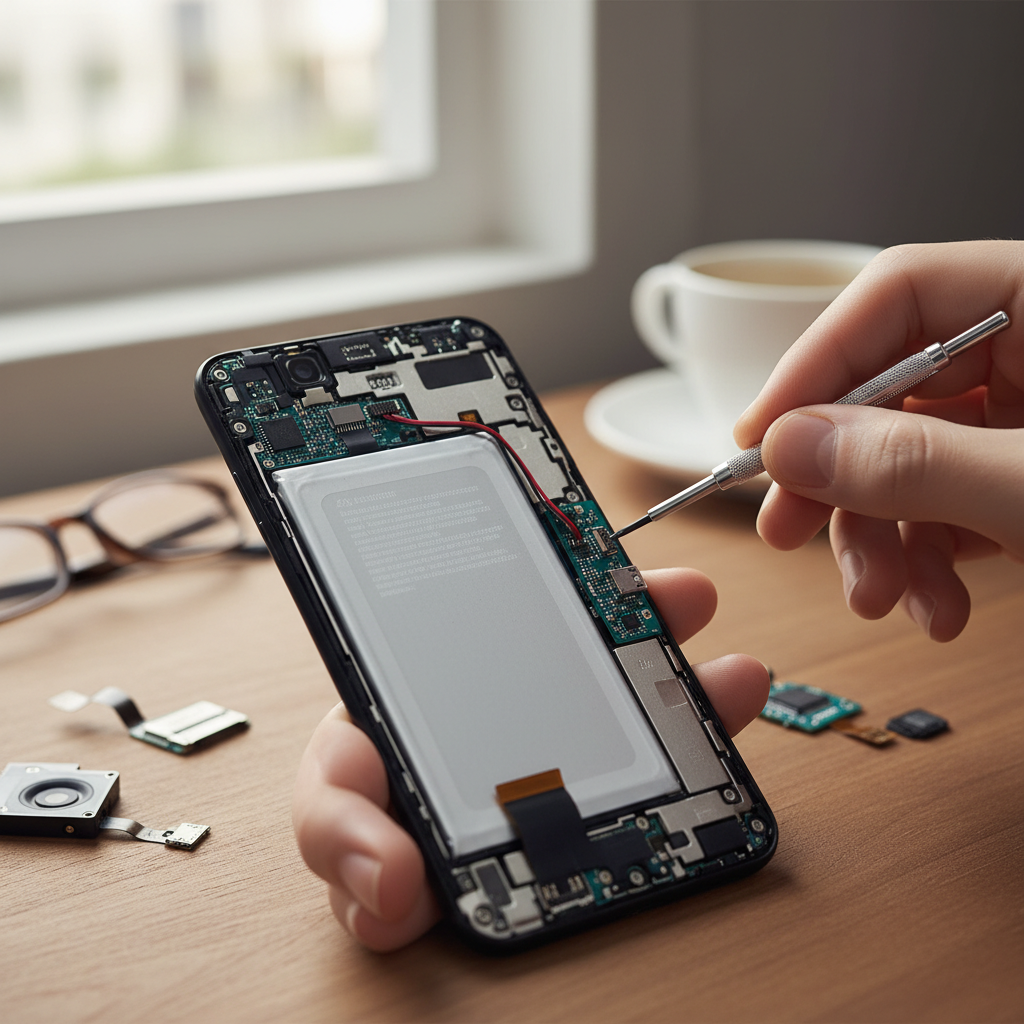
At its core, a smartphone battery is a miniature chemical factory, diligently storing electrical energy. Think of it like a tiny reservoir that can hold and release electrical “water.” This “water” is made up of electrons, which are negatively charged particles. The battery’s job is to trap these electrons and then, when you need to use your phone, release them in a controlled way to power all the things we love: the screen, the camera, the apps, and, of course, the never-ending stream of social media.
The type of battery in your smartphone is almost certainly a lithium-ion (Li-ion) battery. These are popular because they pack a lot of energy into a small space, they’re relatively lightweight, and they can be recharged hundreds of times. But how does this tiny reservoir of energy actually work? Well, it’s a clever dance of chemicals and electrons.
Breaking It Down: The Key Players in the Battery Game
Let’s take apart the battery (virtually, of course!) and look at its main components:
- The Anode: This is typically made of graphite. Think of it as one side of the reservoir, where the electrons “hang out” when the battery is charged.
- The Cathode: Made of a lithium-containing metal oxide, the cathode is the other side of the reservoir, waiting to receive the electrons when the battery discharges.
- The Electrolyte: This is the liquid (or sometimes a gel) that sits between the anode and the cathode. It’s like the water in our reservoir analogy, providing a path for the lithium ions (which carry a positive charge) to flow back and forth. Importantly, the electrolyte doesn’t allow electrons to pass through.
- The Separator: A thin barrier between the anode and cathode that keeps them from touching (which would cause a short circuit). It allows lithium ions to pass through, but not the electrons.
Once you understand these, the rest makes sense…
The Charge-Discharge Cycle: The Electron Shuffle
Here’s where the magic happens:
Charging: When you plug your phone in, the charger pushes electrons from the cathode towards the anode. At the same time, lithium ions move from the cathode through the electrolyte and settle into the anode. Think of it like filling up the reservoir. The battery stores potential energy.
Discharging: When you use your phone, the reverse happens. The electrons flow from the anode, through your phone’s circuits, to the cathode, powering your device. The lithium ions also move back from the anode to the cathode through the electrolyte. This is like releasing the water from our reservoir to power a tiny turbine.
Common Misconceptions: Busting Battery Myths
There are a lot of old wives’ tales floating around about how to treat your phone’s battery. Let’s clear up some common misconceptions:
Myth: You should always let your battery drain completely before charging it.
Reality: This used to be true for older battery technologies (nickel-cadmium). But with Li-ion batteries, it’s actually better to top them up frequently. Deep discharges put more stress on the battery.
Myth: Leaving your phone plugged in overnight damages the battery.
Reality: Modern smartphones have sophisticated charging circuits that stop charging once the battery is full. However, prolonged exposure to high temperatures (like under your pillow while charging) can be detrimental.
Myth: Using a non-branded charger ruins your battery.
Reality: As long as the charger meets safety standards and provides the correct voltage and amperage, it should be fine. However, it’s always best to use chargers from reputable brands.
Why Small Changes Matter: How Your Habits Affect Your Battery
The way you use your phone can significantly impact its battery life. Here’s the part most people never notice…
- Charging Habits: As mentioned earlier, frequent top-ups are generally better than full discharges. Avoid letting your battery drop to 0% regularly.
- Heat: Heat is the enemy of batteries. Avoid leaving your phone in direct sunlight, in a hot car, or using it in extremely hot environments. High temperatures can degrade the battery’s lifespan.
- Usage: Power-hungry apps (games, video streaming) drain the battery faster. Adjust your screen brightness, close unused apps, and turn off features like Bluetooth and GPS when you don’t need them.
- Charging Speed: Fast charging is convenient, but it can generate more heat. If possible, consider slower charging overnight and fast charging only when you need it.
These seemingly small habits all add up over time. It’s not about following a rigid set of rules, it’s about being mindful of how you use your phone.
Modern Relevance: The Ever-Changing World of Batteries
We’re living in a time of rapid technological advancement, and the same goes for batteries. Scientists and engineers are constantly working on improving battery technology. The goal is to create batteries that are:
- Longer-lasting: More capacity, so your phone lasts longer on a single charge.
- Faster-charging: Charging your phone in minutes, not hours.
- Safer: Reducing the risk of overheating and other safety issues.
- More sustainable: Using materials that are less harmful to the environment and are easier to recycle.
You can learn more about how your charging habits affect you with this related article: The Unseen Culprit: How Your Charging Habits Are Quietly Costing You.
Putting It All Together: A Clearer Mental Model
So, next time your phone is running low, you can think of it like this: your battery is a carefully engineered chemical storage unit, like a reservoir, that stores electrical energy in the form of electrons. When you charge it, you’re “filling the reservoir.” When you use your phone, you’re releasing that energy to power your apps, screen, and all the other things we love about our smartphones.
By understanding the basics of how your battery works, you can make informed choices about how to care for it. You can avoid some of the common mistakes that shorten battery life, and extend the life of your phone. You can be confident in making choices that are right for you, not following old myths.
FAQ: Your Burning Battery Questions Answered
Here are some frequently asked questions about smartphone batteries:
Q: How long should my phone battery last?
A: Most smartphones today should last a full day with moderate use. Heavy users might need to charge mid-day. The battery life also depends on the phone’s age and how you use it.
Q: Why does my battery drain so fast?
A: Many things can cause rapid battery drain. The main ones are: constantly running apps, high screen brightness, weak cellular signal, and extreme temperatures. Check your battery usage in your phone’s settings to see which apps are the biggest energy hogs.
Q: Is it okay to charge my phone overnight?
A: Yes, it’s generally okay, as modern phones stop charging once they are full. However, try to avoid charging in hot environments, like under your pillow.
Q: Does fast charging damage my battery?
A: Fast charging can generate more heat, which can slightly degrade the battery over time. It’s usually fine for occasional use but consider slower charging overnight.
Q: Why does my battery percentage jump around sometimes?
A: The battery percentage is an estimate, and sometimes the phone’s software can misinterpret the battery’s actual charge level. This is usually more noticeable when the battery is old or damaged.
Q: What should I do if my battery is swollen?
A: A swollen battery is a sign of damage and could be a safety hazard. Stop using the phone and take it to a professional repair shop or contact the manufacturer immediately. Do not attempt to fix it yourself.
Q: How can I extend my battery’s lifespan?
A: Avoid extreme temperatures, charge frequently (but not necessarily to 100% every time), and try to avoid letting your battery drain completely. Keep your software updated, as updates often include battery optimization improvements.
Q: When should I replace my phone’s battery?
A: If your battery life has significantly decreased, or if your phone is shutting down unexpectedly even when the battery percentage shows a charge, it may be time to replace the battery. Also, if the battery is swollen, you should get it replaced immediately.
Knowing the basics of how your smartphone battery works lets you use it in the best possible way. This also helps extend your device’s life, and save you money in the long run.