
How many times have you plugged something in and then just… left it? Phone charger, laptop adapter, maybe even the TV? We’ve all done it. It’s such a normal part of life that we don’t think twice. But this small habit of leaving electronics plugged in, even when they’re not in use, is quietly costing you.
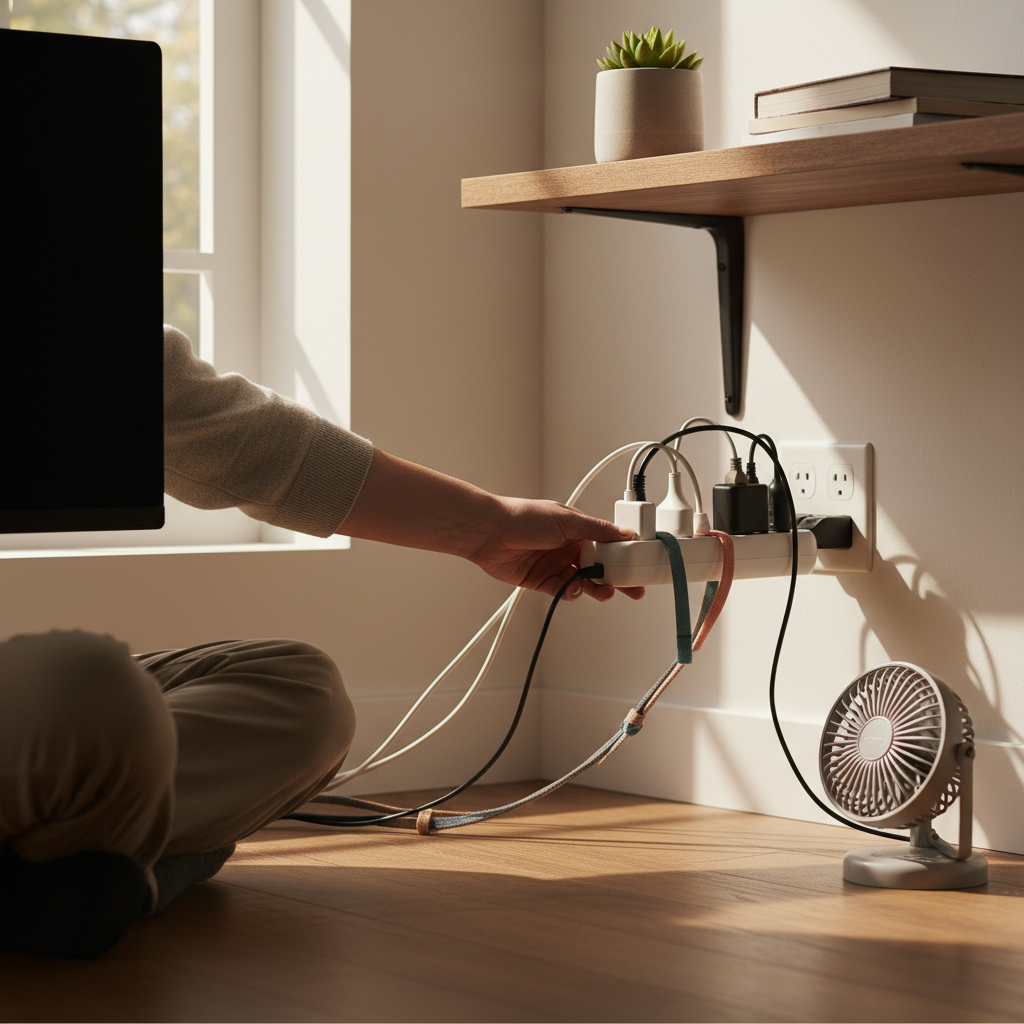
Most people don’t notice this until they get their electricity bill or until a device starts acting up sooner than it should. It’s like a slow leak – you don’t see the water at first, but over time, it adds up.
The Hidden Costs of “Phantom Load”
Leaving electronics plugged in creates what’s called “phantom load” or “vampire power.” This is the electricity that devices continue to draw, even when they’re turned off. It’s the little red light on your TV, the hum of your computer, the warm charger that’s been sitting in the wall for a week. These seemingly small things add up.
Think about it: every device has a power supply. Even when the device is off, the power supply is still working, ready to spring into action the moment you press the button. This constant readiness consumes electricity. And in today’s always-on world, with smartphones, smart TVs, and smart everything, the phantom load is more significant than ever.
This small habit quietly causes bigger problems over time. Here’s a breakdown of how:
- Higher Electricity Bills: Phantom load adds to your monthly bill. Over a year, it can mean a noticeable difference in your energy costs.
- Reduced Device Lifespan: Constant power surges and fluctuations can wear down your devices’ components over time, shortening their lifespan.
- Fire Hazards: While rare, leaving devices plugged in for extended periods can increase the risk of overheating and fire, especially with older or damaged electronics.
- Environmental Impact: All that wasted energy contributes to your carbon footprint.
The Simple Solution: Power Strips and Smart Plugs
So, what’s the fix? The easiest solution is to use power strips, especially those with an on/off switch. When you’re done using a device, simply switch off the power strip. This completely cuts off the power supply, eliminating phantom load.
Power Strips: The Old Reliable
Power strips are your best friend here. They’re cheap, readily available, and incredibly effective. Place one by your entertainment center, your computer setup, or anywhere you have multiple devices. Get into the habit of turning off the strip when you’re not using those devices.
Smart Plugs: Modern Convenience
If you’re tech-savvy, consider smart plugs. These plugs connect to your Wi-Fi and allow you to control devices from your phone or through voice commands. You can schedule them to turn off at certain times, or simply switch them off remotely when you’re done using a device. They also often come with energy monitoring features, so you can see exactly how much power your devices are using.
Common Mistakes and Myths
Let’s clear up some common misconceptions and bad habits:
- Myth: “It doesn’t use that much power.” Even a small amount, multiplied by the number of devices and the amount of time they’re plugged in, adds up.
- Mistake: Plugging in and forgetting. This is the biggest culprit. Make it a habit to unplug or switch off power strips when you’re finished using a device.
- Myth: “Unplugging is too much work.” It takes seconds to flip a switch or unplug a device. The long-term benefits outweigh the minor inconvenience.
Why This Matters More in 2026
In 2026, we’re living in a world of smart homes and interconnected devices. Everything is “smart,” from your refrigerator to your light bulbs. This increased connectivity means more devices are constantly drawing power, making phantom load a bigger concern.
Here’s why it matters more now:
- More Devices, More Drain: The average home has more electronic devices than ever before.
- Higher Electricity Costs: Energy prices fluctuate, and even small savings make a difference.
- Sustainability: Being mindful of energy consumption is more crucial than ever for environmental reasons.
Practical Tips for Implementation
Ready to make a change? Here’s how to get started:
- Survey Your Home: Walk around your house and identify all the devices that are plugged in, even when not in use.
- Gather Power Strips: Buy enough power strips for your high-usage areas.
- Establish a Routine: Get into the habit of switching off power strips or using smart plugs at the end of the day or when you leave a room.
- Monitor Your Bills: Pay attention to your electricity bills. You should see a difference over time.
Once you change this, everything feels easier. It becomes second nature. And you’ll have the satisfaction of knowing you’re saving money, protecting your devices, and contributing to a more sustainable lifestyle. It’s a small change with big rewards.
Long-Term Benefits: Peace of Mind and Savings
The long-term benefits of this simple habit are significant:
- Reduced Electricity Bills: Save money every month.
- Extended Device Lifespan: Protect your investments.
- Increased Home Safety: Reduce the risk of electrical hazards.
- Peace of Mind: Knowing you’re being proactive about your energy usage.
It’s not just about saving money, it’s about making your life easier and safer. It’s about building good habits that benefit you in the long run. By taking control of phantom load, you’re taking control of your home, your finances, and your peace of mind.
If you’re interested in learning more about home appliances and energy efficiency, you might find this article on how a washing machine cleans your clothes interesting: Unlocking the Mystery: How a Washing Machine Cleans Your Clothes.
FAQs: Your Burning Questions Answered
Here are some of the most common questions people have about phantom load and power strips:
1. How much money can I really save?
The amount varies depending on your devices and energy costs. However, even a few dollars a month can add up to significant savings over a year. The more devices you have and the higher your electricity rates, the more you’ll save.
2. Do I need to unplug everything completely, or is the power strip enough?
Using a power strip is sufficient for most devices. Completely unplugging devices is ideal, but using a power strip makes it much more convenient and is often enough to eliminate phantom load.
3. Are smart plugs worth the investment?
Smart plugs are a great investment if you want more control and convenience. They allow you to schedule devices, monitor energy usage, and control things remotely. The cost can quickly be offset by the savings and the peace of mind they offer.
4. Will this prevent my devices from breaking down?
Reducing phantom load helps to protect your devices, but it’s not a guaranteed solution. It minimizes power surges and wear and tear, which can extend the lifespan of your electronics.
5. Is it safe to leave a power strip switched on all the time?
It’s generally safe to leave a power strip switched on, but it’s best practice to switch it off when the devices connected to it are not in use. However, always check the power strip regularly for any signs of damage or overheating.
6. What about devices that need to be on all the time, like my refrigerator?
Essential appliances like refrigerators don’t need to be unplugged. The idea is to focus on devices that consume energy unnecessarily when not in use. For these appliances, ensure proper maintenance and energy-efficient operation.
7. How do I know which devices are using the most “vampire power?”
A Kill-A-Watt meter is a handy tool to measure the power consumption of individual devices. You can plug a device into the meter and see how much power it’s drawing, even when “off.” Smart plugs with energy monitoring features can also show you this data.
8. Is there a “best” type of power strip?
Look for power strips with surge protection, multiple outlets, and an on/off switch. Make sure the power strip is UL-certified for safety.