
We’ve all been there, right? You’re in the middle of a crucial video call, streaming your favorite show, or simply trying to load a webpage, and suddenly—buffering. The dreaded spinning wheel of doom. You probably glance at your phone, maybe curse the internet gods, and then restart the router. Problem solved…for now. But what if I told you that the seemingly random bouts of internet slowdowns aren’t so random? That they’re often a result of simple, everyday home habits that are slowly but surely killing your Wi-Fi router?
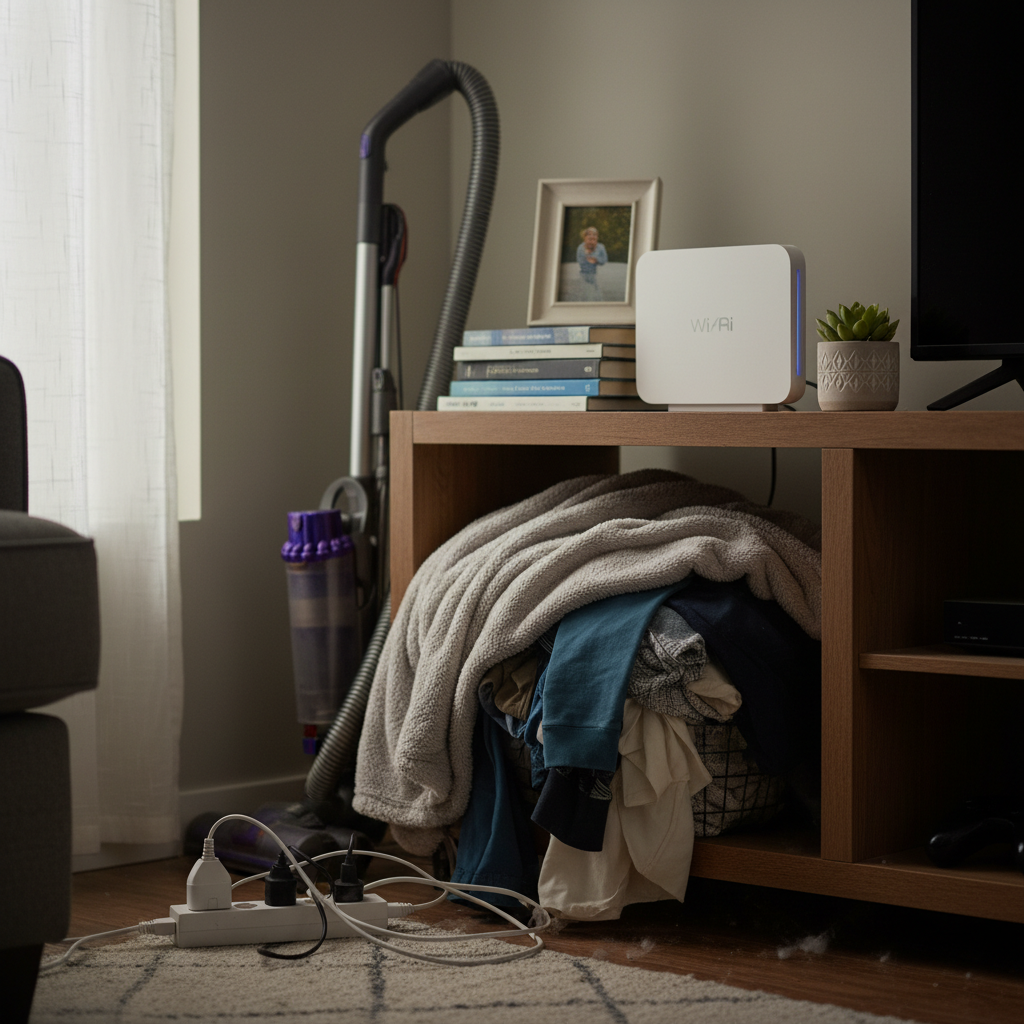
Most people don’t think twice about where they put their router, what’s around it, or how they’re using it. It’s just…there. But your router is a sensitive piece of tech, and it’s affected by a lot more than you realize. Think of it like a hardworking houseplant. Neglect it, and it won’t thrive. Give it some basic care, and it’ll keep you connected, happy, and online.
The Router’s Silent Enemies: Common Habits That Cause Problems
Let’s dive into some of the most common, seemingly harmless habits that slowly degrade your router’s performance and lifespan. We’ll look at how these habits affect your device life, home safety, electricity bills, and daily convenience.
1. Location, Location, Location (and Obstacles!)
Where’s your router sitting right now? Is it tucked away in a cupboard, hidden behind the television, or buried in a corner of your home? While this might seem like a neat and tidy solution, it’s one of the biggest mistakes. Routers send out radio waves in all directions, and these waves can be easily blocked or disrupted by common household items.
The Problem: Solid objects like walls, metal appliances (refrigerators, microwaves), and even water (in aquariums or pipes) can significantly weaken Wi-Fi signals. This leads to slower speeds, dropped connections, and those frustrating buffering moments. Think of it like trying to shout across a busy street – obstacles make it harder for the message to get through. The further away you are from your router, and the more obstacles that are in between your device and your router, the worse your connection will be.
The Downside: Besides terrible internet, a poorly placed router can lead to:
- Device stress: Your devices have to work harder to maintain a connection, which can drain battery life faster and potentially shorten their lifespan over time.
- Home safety concerns: While the radiation from a router is generally considered safe, placing it near flammable materials or in areas with poor ventilation can be a fire hazard.
2. The “Set It and Forget It” Mentality
How often do you actually *look* at your router? Probably not very often, right? Most people set it up once and then forget about it. However, routers, like any piece of tech, need a little TLC to keep them running smoothly. It’s not about constant babysitting, but just a few simple, periodic check-ups.
The Problem: Over time, routers can accumulate dust, experience firmware glitches, or have their settings optimized for older usage patterns. This leads to slower speeds, security vulnerabilities, and potential performance bottlenecks. Think of it like an oil change for your car. Neglecting it can lead to bigger, more expensive problems down the road.
The Downside:
- Security Risks: Outdated firmware can have security flaws, leaving your home network vulnerable to hacking.
- Reduced Performance: Unoptimized settings can limit the router’s ability to handle the increasing demands of modern internet usage.
- Shortened Lifespan: Constant overheating or strain from neglected maintenance can wear down the router’s internal components, reducing its lifespan.
3. Overloading the Network
In today’s connected homes, it’s easy to have multiple devices—phones, tablets, smart TVs, gaming consoles, smart home devices—all vying for the router’s attention simultaneously. This constant stream of traffic can quickly overwhelm your router, especially if you have a lower-end model.
The Problem: Think of it like a busy highway. If too many cars are on the road, traffic slows down. The same thing happens with your Wi-Fi network. Every device connected consumes bandwidth. Streaming, gaming, and downloading large files take up the most bandwidth and can cause other devices to buffer or disconnect.
The Downside:
- Lag and Buffering: Slow internet speeds impact your ability to stream, game, and browse the web seamlessly.
- Frustration and Inconvenience: Interrupted video calls, slow downloads, and general sluggishness impact productivity and enjoyment.
- Potential Overheating: Excessive use can cause the router to overheat, reducing its lifespan.
4. Ignoring the Power Supply and Environmental Factors
We often overlook the power source itself. Is your router plugged directly into a wall outlet, or is it plugged into a power strip? What’s the temperature like where the router is located? These seemingly small factors can significantly impact the router’s performance and longevity.
The Problem: Power fluctuations can damage a router. Overheating can damage internal components, shortening its lifespan.
The Downside:
- Damage to the Router: Power surges or brownouts can fry your router’s internal components, requiring replacement.
- Performance Issues: Extreme temperatures (too hot or too cold) can cause performance degradation or complete failure.
- Unpredictable behavior: This includes frequent disconnections.
Smarter Habits: Protecting Your Router and Your Sanity
Now that we’ve covered the common culprits, let’s look at the simple, practical steps you can take to protect your router and improve your online experience. These tips are designed to be easy to implement, requiring minimal effort but yielding significant results.
1. Find the Sweet Spot: The Best Router Placement
Tip: Elevate your router and place it in a central, open location in your home. This could be on a shelf, a tabletop, or mounted on a wall. Avoid placing it on the floor or in enclosed spaces like cabinets or drawers. Make sure it’s not blocked by other devices, walls, or metal objects.
Why It Works: Elevating the router and providing it with a clear line of sight to your devices helps the radio waves travel more efficiently. A central location ensures the signal reaches all corners of your home.
2. The Routine Router Check-Up
Tip: Reboot your router once a month (or more frequently if you experience frequent issues). Check for firmware updates regularly (most routers have an admin panel you can access through a web browser; check your router’s manual for instructions). Also, if your router is old, consider upgrading to a newer model with the latest Wi-Fi standards (Wi-Fi 6 or Wi-Fi 6E) for improved performance and security.
Why It Works: Rebooting clears temporary files and resets the router’s memory, improving performance. Firmware updates patch security vulnerabilities and can optimize performance. Upgrading to a newer model provides better range, faster speeds, and improved security.
3. Manage Your Network Traffic
Tip: Use your router’s Quality of Service (QoS) settings to prioritize bandwidth for important devices or activities (like video conferencing). You can also limit the number of devices connected simultaneously if your router is struggling. Consider upgrading your internet plan if you consistently experience slow speeds with multiple users.
Why It Works: QoS ensures that your most important devices get the bandwidth they need. Limiting the number of connected devices or upgrading your internet plan prevents network congestion.
4. Protect the Power and the Environment
Tip: Plug your router into a surge protector to shield it from power fluctuations. Ensure your router is in a well-ventilated area, away from direct sunlight or heat sources. Monitor the temperature, especially during summer. If your router feels hot to the touch, consider relocating it or using a small fan to keep it cool.
Why It Works: A surge protector guards against power surges that can damage the router. Proper ventilation prevents overheating, which can shorten the lifespan of the router and cause performance issues.
The Long-Term Rewards: Peace of Mind and Savings
By adopting these simple habits, you’re not just improving your internet speed; you’re investing in your peace of mind and, potentially, saving money in the long run.
Peace of Mind: Fewer dropped connections, less buffering, and a more reliable internet experience mean less frustration and more time enjoying your online activities. You can work from home without interruptions, stream your favorite shows without constantly restarting, and stay connected with loved ones without the hassle.
Savings: A properly maintained router is less likely to break down, saving you the cost of replacing it. You might also save money on your electricity bill. Older, less efficient routers may consume more power, especially if they are constantly working overtime. By optimizing your router’s performance, you’ll be using your internet service and equipment more efficiently.
More than that, you will be saving the stress of dealing with technical problems. When you have a solid network, you can feel confident that your tech is working for you, not against you.
Beyond the Basics: Other Considerations
Password Security: Always use a strong, unique password for your router’s Wi-Fi network. This helps prevent unauthorized access and potential security breaches. Change your password regularly.
Guest Networks: Consider setting up a guest network for visitors. This allows them to use your internet without giving them access to your main network and devices.
Troubleshooting: If you continue to experience problems, try troubleshooting steps such as restarting all connected devices, checking your internet service provider (ISP) for outages, or contacting your ISP’s customer support. Sometimes, the issue isn’t your router, but the connection.
FAQs: Your Router Questions Answered
Let’s address some of the common questions people have about their routers, Wi-Fi, and overall network performance.
1. Why does my internet speed vary throughout the day?
This is extremely common. Internet speed can fluctuate due to several factors, including network congestion (more users online at peak times), your ISP’s network load, and interference from other electronic devices. Weather can also have an impact. Consider upgrading your internet plan or using your router’s QoS settings to prioritize your most important devices if you experience frequent speed fluctuations.
2. How often should I reboot my router?
A good rule of thumb is to reboot your router at least once a month. Some people reboot their router once a week. If you’re experiencing frequent connection problems, you may need to reboot more often. Rebooting clears the router’s memory, which can help resolve minor performance issues.
3. Is my router’s radiation harmful?
No, the radio waves emitted by your router are generally considered safe. The levels of radiation are very low, and the risk of health problems is minimal. However, it’s still a good idea to keep your router in a well-ventilated area away from direct contact.
4. What’s the best type of router for my home?
The best type of router depends on your needs. For most homes, a dual-band router with Wi-Fi 6 or Wi-Fi 6E is a good option. If you have a larger home or need to cover multiple floors, consider a mesh Wi-Fi system. Research recent models, consider the range, speed, and security features offered by each model, and choose a router that meets your needs.
5. Can I improve my Wi-Fi signal without upgrading my router?
Yes, you can! Before buying a new router, try repositioning your existing router, eliminating obstacles, and limiting the number of connected devices. You can also use Wi-Fi extenders or powerline adapters to boost your signal.
6. My internet is still slow after trying these tips. What else can I do?
If you’ve tried all of these tips and are still experiencing slow internet speeds, it may be time to contact your internet service provider (ISP). There could be an issue with your internet service, such as a problem with your modem or a service outage. Also, consider the age of your equipment. Outdated modems or routers can limit your connection speed.
7. Will a new router automatically make my internet faster?
Not necessarily. While a new router with the latest Wi-Fi standards (like Wi-Fi 6 or Wi-Fi 6E) can offer faster speeds, the actual speed you experience also depends on your internet plan and the capabilities of your other devices. A new router can improve your Wi-Fi speeds, particularly if you have an older router or if you have many devices connected simultaneously. However, your internet speed is also limited by the service that you are paying for.
8. What’s the difference between 2.4 GHz and 5 GHz Wi-Fi?
2.4 GHz Wi-Fi offers a wider range but is more prone to interference. 5 GHz Wi-Fi offers faster speeds and less interference but has a shorter range. Newer routers often broadcast both signals simultaneously, allowing you to choose the best option for your devices.
Whether you want to learn more about TV issues, or about general tech concerns, it is useful to explore our related articles. Check out, My Smart TV is Doing WHAT?! A Calm Guide to Fixing Frozen Screens, Glitches, and More. Or visit our homepage for more.