
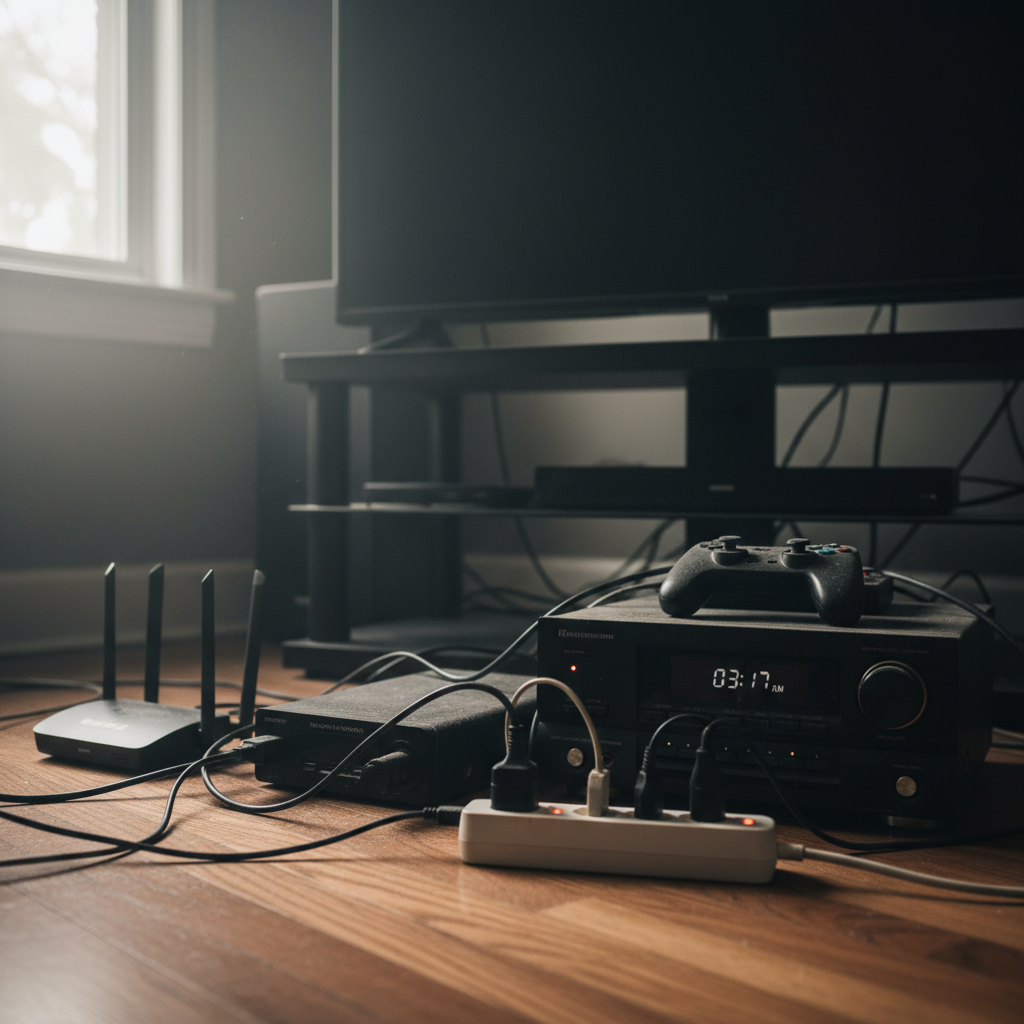
We all do it. After a long day, we switch off the TV, the computer, and maybe even the lights, thinking we’re saving energy. But are we really? Most of us don’t give a second thought to the little red light glowing on our devices, the ones that are still plugged in, silently drawing power even when “off.” This seemingly small detail is actually a major source of wasted energy and can quietly drain your wallet over time. I’ve learned this lesson the hard way, and it’s something I’m always reminding my family about now.
The Sneaky Energy Drain: Standby Mode Explained
That “off” button on your devices often doesn’t mean *off*. What you’re usually getting is “standby” or “sleep” mode. Think about your TV, for example. It’s ready to turn back on with the remote, right? That convenience comes at a cost. Your TV, gaming consoles, cable boxes, and even your phone chargers are still using electricity to maintain this state. They’re waiting for your command.
This phantom load, or vampire power, is the electricity your devices consume when they’re not in active use. It might seem insignificant, but it adds up quickly. Over the course of a year, these small amounts of power consumption can lead to surprisingly high costs. And it’s not just about money; it’s about the environmental impact too.
Why We Ignore the Problem
Honestly, it’s easy to overlook. Standby mode is invisible. We don’t see it, we don’t feel it, and often, we don’t even think about it. Here are a few reasons why we tend to ignore the standby energy drain:
- Convenience: We love the instant-on feature. Who wants to wait for a device to boot up?
- Lack of Awareness: Most people simply aren’t aware of how much power is being wasted. It’s not something we’re taught.
- “It’s Just a Little Bit”: We tell ourselves it’s only a small amount of electricity, so it can’t make a big difference. But “a little bit” from multiple devices, over a long period, adds up.
I know I used to be guilty of all of these! It wasn’t until I started paying close attention to my electricity bills that I realized where the money was disappearing to.
The Hidden Costs of Standby
The impact of standby mode extends beyond just higher electricity bills. Here’s a breakdown of the hidden costs:
Increased Electricity Bills
This is the most obvious consequence. While the amount of power consumed by a single device in standby mode might be small, the combined consumption of all your devices can be significant. Multiply that by 24 hours a day, 365 days a year, and the costs start to climb. It can easily add up to hundreds of dollars a year, depending on the number of devices you have and the electricity rates in your area. Think of it as a stealth tax on your energy consumption.
Accelerated Device Degradation
Constant power flow, even in small amounts, can contribute to the gradual degradation of your electronics. Heat is a major enemy of electronic components, and even a small amount of heat generated during standby can shorten the lifespan of your devices. This means you might have to replace your devices sooner than you’d like, costing you even more money in the long run. I’ve had several TVs and other gadgets die prematurely, and I suspect standby mode played a part.
Fire Hazards and Home Safety
While rare, electrical fires can be caused by faulty appliances or damaged cords that are plugged in continuously. Leaving devices in standby mode increases the potential for such hazards. Unplugging devices when not in use is a simple, yet effective, way to minimize this risk. This is something I always stress to my kids – unplugging is a safety habit.
Environmental Impact
All that wasted electricity has a negative impact on the environment. It contributes to increased demand for power, which often means more reliance on fossil fuels and increased greenhouse gas emissions. Conserving energy through simple habits like unplugging devices is a small but meaningful step toward reducing your carbon footprint.
Common Mistakes and Myths
Let’s debunk some common myths and mistakes associated with standby mode:
Myth: “Unplugging devices is a huge hassle.”
It’s true, unplugging every single device every night is a pain. But you don’t have to. The key is to be strategic. For devices you use regularly, like your TV or computer, consider using a smart power strip. For devices that sit idle for long periods, like chargers or appliances you rarely use, unplugging is a simple fix.
Mistake: Overlooking chargers
Chargers are often the worst offenders. They continue to draw power even when your phone or laptop is fully charged and unplugged. Leaving chargers plugged in is like throwing money away, one small bit at a time. This is especially true now with the speed of charging increasing with new tech.
Myth: “Standby mode uses very little power, so it’s not worth worrying about.”
While the power consumption of a single device in standby mode might seem minimal, it adds up. Multiply that small amount by the number of devices in your home and the hours in a year, and the cumulative impact is significant. Don’t underestimate the power of these small savings!
Practical Tips to Reduce Standby Power Waste
Here are some easy, practical steps you can take to reduce standby power consumption and save money:
1. Use Smart Power Strips
These power strips cut off power to devices when they’re not in use. Some smart strips have advanced features like sensing when a device is in standby mode and automatically cutting off power. Others have remote control capabilities, letting you turn off entire groups of devices with a single click. This is easily the most impactful change I made in my own home.
2. Unplug Chargers
Get in the habit of unplugging phone and laptop chargers when they’re not in use. It’s a small action with a big impact. This also helps extend the life of your chargers, which can degrade over time.
3. Unplug Infrequently Used Devices
For appliances and electronics you don’t use regularly (like a spare TV in the guest room or a rarely used printer), unplug them when they’re not needed. This is a simple way to eliminate standby power drain completely.
4. Utilize Power-Saving Settings
Many devices have power-saving settings that can be enabled. Explore the settings on your TV, computer, and other electronics to see what options are available. These settings can reduce the amount of power consumed in standby mode.
5. Make it a Habit
The key to success is consistency. Make unplugging devices a habit. Put it on your to-do list, or set a reminder on your phone. Over time, it will become second nature.
6. Consider Energy-Efficient Appliances
When it’s time to replace an appliance, choose an energy-efficient model. Look for the Energy Star label, which indicates that the appliance meets specific energy-efficiency standards. While the upfront cost may be higher, energy-efficient appliances can save you money on your electricity bills over the long run.
How Standby Habits Matter More in 2026
In our increasingly connected world, the problem of standby power waste is becoming more significant. Here’s why:
- More Connected Devices: We have more devices than ever before – smartphones, smart home gadgets, gaming consoles, and more. Each of these devices consumes power in standby mode.
- Increased Reliance on Electronics: We rely on technology for almost everything, from entertainment to work. This means our devices are plugged in and in use for longer periods.
- Rising Energy Costs: With energy prices fluctuating, every kilowatt-hour saved can make a real difference in your budget.
This is where efficiency is key. Dealing with battery drain, and the energy suck of standby are similar, in that they often go unnoticed until they become a major drain on our lifestyle. We can’t let it become a habit that holds us back.
The Long-Term Benefits
Adopting these simple habits can have significant long-term benefits:
- Reduced Electricity Bills: Save money every month and put that money towards something you enjoy.
- Extended Device Lifespan: Minimize wear and tear on your electronics, saving you money on replacements.
- Increased Home Safety: Reduce the risk of electrical fires.
- Environmental Responsibility: Contribute to a more sustainable future.
- Peace of Mind: Knowing that you’re taking steps to be more efficient and eco-conscious can bring a sense of satisfaction and peace of mind.
The best part? These changes are easy to implement and require very little effort. It’s about making small, conscious choices that have a big impact.
Frequently Asked Questions
Does leaving chargers plugged in really waste electricity?
Yes, even when your phone or device is fully charged, the charger continues to draw a small amount of power. Over time, this adds up. Unplugging chargers when not in use is a simple way to avoid this waste.
How much money can I save by unplugging devices?
The amount you save depends on the number of devices you have, their standby power consumption, and your electricity rates. However, even a few dollars saved per month can add up to a significant amount over a year.
Are smart power strips worth the investment?
Absolutely! Smart power strips can pay for themselves over time by automatically cutting off power to devices in standby mode. They’re a convenient and effective way to reduce energy waste.
Can standby mode cause my devices to overheat?
While standby mode generally doesn’t generate a lot of heat, prolonged exposure to even small amounts of heat can accelerate the degradation of electronic components. Unplugging devices when not in use can help to mitigate this risk.
Is it safe to unplug appliances regularly?
Yes, it’s perfectly safe to unplug appliances regularly. In fact, it can extend their lifespan by reducing the wear and tear caused by constant power flow.
Do I need to unplug my refrigerator?
No, you shouldn’t unplug your refrigerator. Refrigerators need to run continuously to keep your food safe. However, you can make sure your refrigerator is running efficiently by regularly cleaning the coils and checking the door seals.
What about my computer? Should I shut it down completely instead of using sleep mode?
While shutting down completely is the most energy-efficient option, it can be less convenient. If you frequently use your computer, you can use sleep mode to save energy while still being able to quickly resume your work. Consider shutting down your computer completely at night or when you’ll be away for an extended period.
How do I know which of my devices consume the most standby power?
You can use a power meter to measure the electricity consumption of individual devices. This will help you identify the biggest energy hogs in your home and prioritize your efforts.
So there you have it. Small changes, big impact. Start today and watch your energy bills shrink, your devices last longer, and your peace of mind grow.
If you’re looking for more tips on home efficiency, consider checking out Energy System for helpful advice.