
Ever walked into a room and just felt a bit off? Maybe the air felt heavy, or things seemed a little…grimy? We all have those days. But what if that feeling wasn’t just a mood, but a silent signal from your neglected tech?
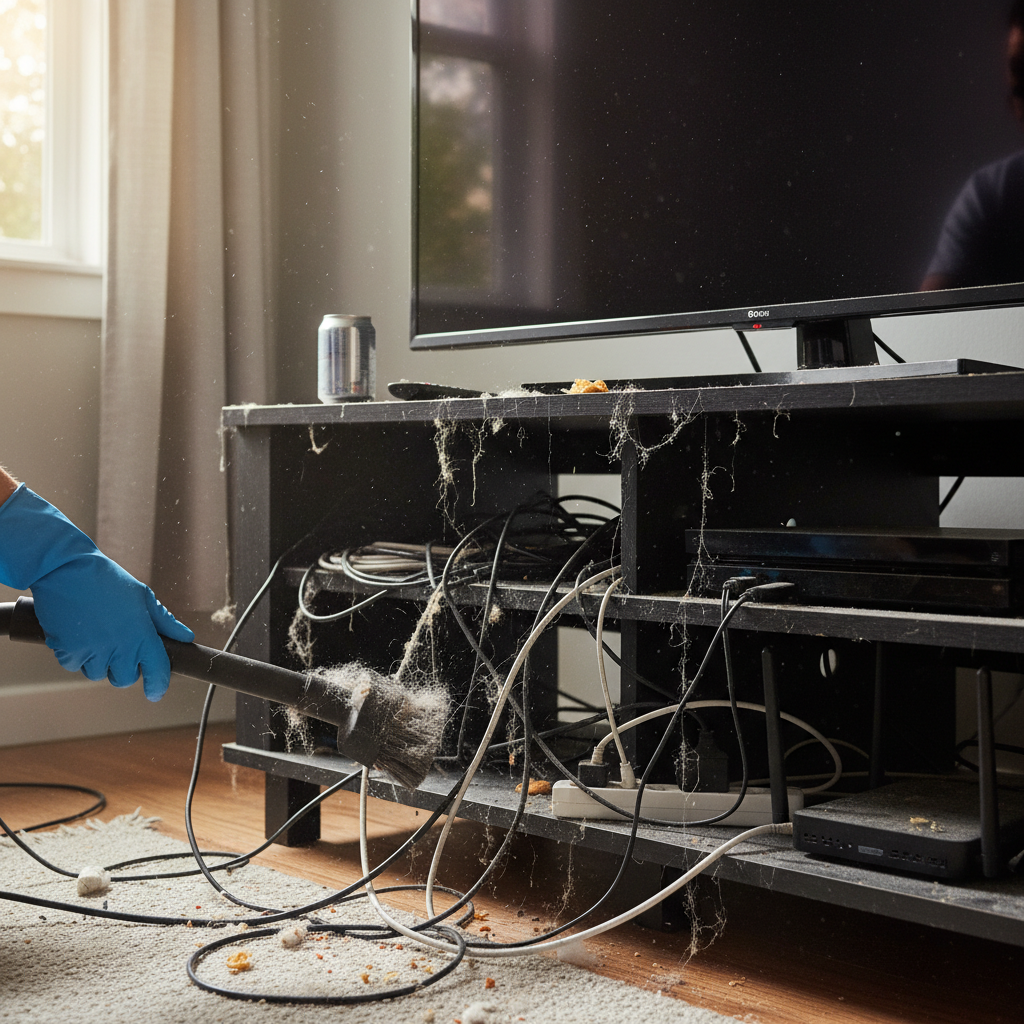
Most of us are pretty good at the basics: we know to charge our phones, maybe wipe down the kitchen counters after dinner. But when it comes to the unseen enemies – the dust bunnies, the forgotten corners, the tech we use every single day – we tend to drop the ball. And those small oversights? They add up.
The Dust Storm Conspiracy: How Grime Attacks Your Gadgets
Think about your laptop. That sleek, expensive piece of tech is probably sitting on your desk right now, quietly gathering dust. Your phone? Constantly in your hand, picking up whatever’s floating around. Your TV? A giant, dark surface that practically invites dust to settle.
This isn’t just about aesthetics. Dust, dirt, and grime are the silent saboteurs of your tech. They work in insidious ways:
- Overheating: Dust acts like an insulator, trapping heat inside your devices. This forces the internal components to work harder, shortening their lifespan. Think of it like running a marathon in a thick coat.
- Performance Issues: Clogged vents and ports restrict airflow, slowing down your devices. Lagging, freezing, and general sluggishness become the norm.
- Component Damage: Dust can physically damage delicate components like fans and connectors. Small particles can cause friction, leading to wear and tear.
- Hygiene Hazards: Your devices are basically mobile petri dishes. They collect bacteria, allergens, and who knows what else. Not exactly pleasant.
I learned this lesson the hard way. Years ago, I ignored the dust accumulating on my desktop computer. Eventually, it started overheating and shutting down randomly. When I finally opened it up, it was like a miniature desert storm had taken up residence inside. The repair bill? Let’s just say it was a wake-up call.
Beyond the Obvious: Where Dust Really Hides
We all know to dust the TV screen, maybe give the keyboard a wipe. But the real problems often lurk in the places we forget.
- Vents and Ports: These are prime real estate for dust and debris. They’re also essential for airflow.
- Charging Ports: Lint and pocket fluff love to gather here, leading to poor connections and charging problems.
- Speaker Grilles: Dust can muffle sound and make your devices sound tinny.
- The Underside of Laptops: We often overlook this, but the bottom of your laptop can be a dust magnet, especially if you use it on a bed or couch.
And it’s not just dust. Consider all the other stuff: crumbs from your late-night snacks, pet hair, and even the tiny particles of skin and dead cells that we shed every day. All of this combines to create a perfect storm of grime.
The Clean Tech Revolution: Simple Habits for a Cleaner Life
The good news? You don’t need a team of professional cleaners or a high-tech lab to keep your tech clean. A few simple habits can make a huge difference.
1. Regular Dusting: Your New Best Friend
Make dusting a weekly ritual, just like laundry day. A microfiber cloth is your best friend. It grabs dust without scratching surfaces. Here’s my go-to routine:
- Desktops and Laptops: Wipe down the screen, keyboard, and vents. A can of compressed air is great for blowing out dust from hard-to-reach places (but be careful not to hold it too close, as the force can damage components).
- Phones and Tablets: Wipe down the screen and body daily with a microfiber cloth. Use a toothpick or the pointed end of a SIM card removal tool to gently clean out the charging port.
- TVs: Wipe the screen with a dry microfiber cloth. Avoid using any liquids directly on the screen.
- Remote Controls: These are often overlooked but are major germ collectors. Wipe them down regularly with a disinfectant wipe.
2. The Power of Prevention: Small Changes, Big Impact
Prevention is always easier than cure. Try these simple tricks:
- Elevate Your Devices: If possible, keep your laptop off your bed and your phone off dusty surfaces.
- Use Screen Protectors: These not only protect your screen from scratches but also make cleaning easier.
- Keep Food and Drinks Away: It’s tempting to eat while watching TV or working on your laptop, but crumbs and spills can quickly lead to problems.
- Consider a Keyboard Cover: Especially if you eat at your desk, a keyboard cover can save you a lot of cleaning.
3. Deep Cleaning: The Monthly Reset
Once a month, give your devices a deeper clean. Here’s a basic guide:
- Power Down: Always unplug and power off your devices before cleaning.
- Compressed Air: Use compressed air to blow out dust from vents, ports, and other crevices.
- Microfiber Cloth: Wipe down all surfaces thoroughly.
- Isopropyl Alcohol: For stubborn grime, dampen a microfiber cloth with isopropyl alcohol (make sure it’s diluted, and test it in an inconspicuous area first).
- Q-Tips: These are great for getting into tight spaces.
Remember, patience and gentleness are key. You don’t want to damage any of your valuable gadgets.
The Ripple Effect: How Clean Tech Saves You Time, Money, and Stress
The benefits of keeping your tech clean go far beyond a nicer-looking screen.
- Longer Device Lifespan: Clean devices run cooler and experience less wear and tear, meaning they’ll last longer. That saves you money on replacements and repairs.
- Improved Performance: No more lagging, freezing, or slow charging. Clean tech simply works better.
- Reduced Repair Costs: Regular cleaning prevents many of the issues that lead to expensive repairs.
- Better Hygiene: Clean tech is less likely to harbor germs and allergens, leading to a healthier environment.
- Peace of Mind: Knowing that your devices are clean and well-maintained eliminates a source of stress and worry.
In a world where we rely on technology for so much, taking care of our devices is an investment in our well-being.
Beyond the Basics: Tech Habits That Make a Difference
Cleaning is just one part of the puzzle. Here are some other tech habits that can make a big difference in your daily life:
- Proper Charging Habits: Avoid overcharging your devices and use the correct chargers. This can extend battery life.
- Regular Software Updates: Keep your devices’ software up to date to improve performance and security.
- Backup Your Data: Regularly back up your important files to prevent data loss in case of a hardware failure.
- Organize Your Cables: Tidy cables not only look neater, they also reduce the risk of tripping hazards and can help with airflow around your devices.
- Protect Your Devices: Use cases, screen protectors, and surge protectors to safeguard your tech from damage.
The Long Game: Why Clean Tech Matters in the 2020s
We live in a tech-saturated world. Our smartphones, laptops, TVs, and smart home devices are essential parts of our daily routines. We rely on them for work, communication, entertainment, and so much more. In a world of interconnected devices, the small habits that we cultivate around our technology matter.
Whether you’re working from home, streaming your favorite shows, or simply staying connected with loved ones, clean and well-maintained tech will make your life easier, more efficient, and less stressful. It’s about creating a smooth, functional, and enjoyable tech-driven life.
And let’s be honest, in a world that’s already filled with enough problems, why let dust bunnies add to the chaos?
FAQ: Your Tech-Cleaning Questions Answered
Here are some frequently asked questions about keeping your tech clean:
1. How often should I clean my devices?
Aim for daily or weekly surface cleaning with a microfiber cloth. Deep clean your devices about once a month.
2. Is it safe to use water to clean my devices?
Avoid using water directly on your devices. Dampen a microfiber cloth slightly, but never let liquid get inside the device.
3. Can I use household cleaners on my tech?
Generally, no. Harsh chemicals can damage screens and other components. Stick to microfiber cloths, isopropyl alcohol, and products specifically designed for electronics.
4. What’s the best way to clean my phone charging port?
Use a toothpick or the pointed end of a SIM card removal tool to gently remove lint and debris from the charging port. Avoid using metal objects.
5. How do I clean my laptop keyboard?
Turn off and unplug your laptop. Use compressed air to blow out dust and debris from between the keys. Wipe down the keys with a microfiber cloth dampened with isopropyl alcohol (if needed).
6. What about cleaning the inside of my computer?
If you’re comfortable, you can open your computer case and use compressed air to clean the internal components. But be very careful, and make sure to unplug your computer and ground yourself to prevent static discharge.
7. Are there any shortcuts for cleaning my tech?
The best shortcut is prevention. Use screen protectors, keyboard covers, and keep food and drinks away from your devices. Otherwise, stick to the basics and be consistent.
8. What’s the biggest mistake people make when cleaning their tech?
The biggest mistake is ignoring the problem. It’s easy to put off cleaning, but the longer you wait, the more dust and grime accumulates, leading to bigger problems down the road.