
It’s a familiar scene: You’re at home, working, relaxing, or just going about your day. You glance down, and there it is – the familiar mess of cords, cables, and power strips that seems to multiply overnight. We’ve all been there, right? A few chargers, a lamp cord, the TV, the router – they all demand power, and often, the way we manage (or don’t manage) these cables has some unexpected consequences. Most people don’t notice this until a problem hits them head-on, like a tripped breaker or a device that suddenly stops working.
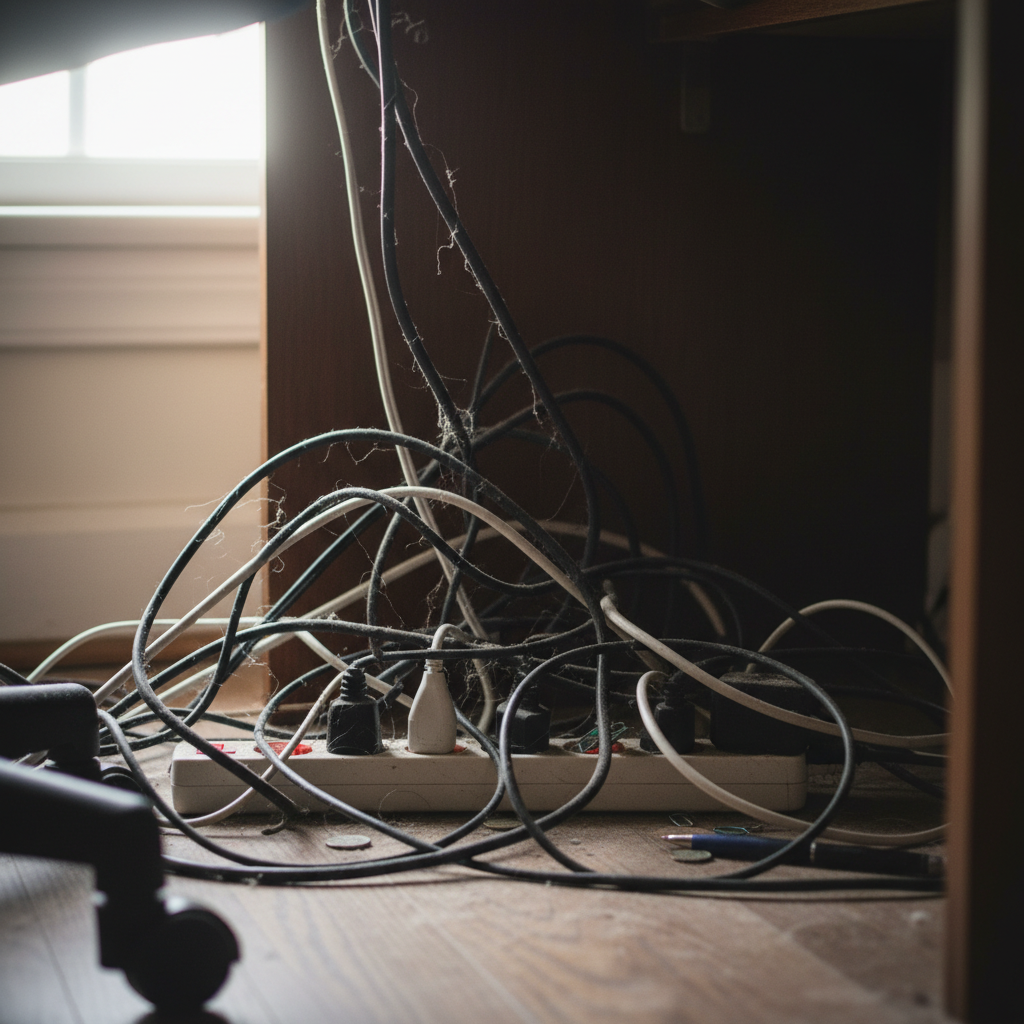
This small habit quietly causes a series of problems we often overlook. From shorter device lifespans to increased fire hazards and even a hit to your wallet, those tangled cords are more than just an eyesore. Once you change this, everything feels easier and safer.
The Hidden Costs of Cable Clutter
Let’s dive into some of the ways cable chaos quietly impacts your life.
Shorter Device Lifespans
One of the most insidious effects of a messy cable situation is the potential to shorten the lifespan of your electronics. Think about it:
* **Overheating:** When cables are crammed together, they can’t dissipate heat properly. This is especially true for power adapters. Heat is the enemy of electronics. Prolonged exposure to excessive heat can damage internal components, leading to premature failure of your devices.
* **Strain and Damage:** Tangled cables are often subjected to bending, pulling, and general stress. This can damage the internal wiring, leading to shorts or intermittent connections.
Consider your phone charger. A charger that’s constantly bent or twisted is far more likely to fail than one that’s neatly stored. The same applies to laptop chargers, power cables for gaming consoles, and everything else plugged into your outlets. A damaged cable can also be a fire hazard.
Increased Fire Hazard
This is the big one. Tangled cables, especially when combined with overloaded power strips, create a significant fire risk. Consider these factors:
* **Overloading:** Plugging too many devices into a single power strip exceeds its capacity. This can cause the power strip itself, and the wires connected to it, to overheat.
* **Arcing and Sparks:** Damaged wires, loose connections, or frayed cables can cause electrical arcing – essentially, tiny sparks. These sparks can ignite nearby flammable materials, like curtains, carpets, or even dust.
* **Hidden Damage:** Sometimes, damage to a cable is invisible. The insulation might be compromised, but you might not see it until it’s too late.
In 2026, with the proliferation of electronics in our homes, the potential for electrical fires has arguably increased. We have more devices plugged in, often in close proximity to each other.
Higher Electricity Bills
Did you know that “phantom loads” – the electricity consumed by devices even when they’re turned off – can add up on your electricity bill?
* **”Vampire” Devices:** Many devices continue to draw power even when they’re not actively in use. This includes things like TVs, computers, game consoles, and phone chargers. While the individual consumption might seem small, it adds up over time.
* **Inefficient Chargers:** Older chargers, or those that have been damaged, can be less efficient at converting electricity. This means they may draw more power than necessary, even when they’re not charging a device.
By managing your cables and unplugging devices when they’re not in use, you can reduce this unnecessary energy waste and save some money on your bill. A few simple tweaks can bring savings.
Daily Inconvenience and Frustration
Beyond the financial and safety implications, tangled cables create a daily inconvenience and source of frustration.
* **Difficulty finding what you need:** When cables are a mess, it takes longer to find the right one.
* **Dust accumulation:** Tangled cables collect dust, making them more difficult to clean.
* **General clutter:** A messy cable situation just makes your space feel less organized and more cluttered.
Common Mistakes to Avoid
Many people make some common mistakes when it comes to cable management. Avoiding these will make a big difference.
Overloading Power Strips
This is perhaps the most dangerous mistake. Always check the power rating of your power strip and don’t exceed it. If you need more outlets, consider adding another power strip, but never plug one power strip into another in a series.
Using Damaged Cables
Never use cables with frayed wires, broken insulation, or any other visible damage. Replace them immediately.
Ignoring Cable Runs
Running cables haphazardly across floors or behind furniture creates tripping hazards and increases the risk of damage.
Simple Tips for Smarter Cable Management
Here are some practical, easy-to-follow tips that anyone can apply:
1. Unplug When Not in Use
This is the easiest step, and one of the most effective. Unplug chargers and other devices when they’re not in use. You can use power strips with on/off switches to make this easier.
2. Invest in Cable Management Solutions
There’s a wide range of products available to help you organize your cables. These include:
* **Cable ties/Velcro straps:** These are a simple and affordable way to bundle cables together.
* **Cable sleeves:** These are fabric tubes that encase multiple cables, creating a clean, organized look.
* **Cable organizers/boxes:** These boxes hide power strips and cables, keeping them out of sight.
* **Cable clips:** Use adhesive clips to route cables along walls, under desks, and other surfaces.
3. Label Your Cables
Use labels or a permanent marker to identify the purpose of each cable. This will save you time and frustration when you need to unplug something.
4. Organize by Device
Try to group cables by the devices they connect to. This makes it easier to manage and troubleshoot.
5. Consider a Cable Tray
For a more permanent solution, use a cable tray or basket under your desk to route and organize cables.
6. Regularly Inspect Your Cables
Make it a habit to inspect your cables for damage. Replace any damaged cables immediately.
7. Proper Placement of Outlets
When possible, ensure that outlets are placed in convenient locations to reduce the need for long, trailing cables.
8. Don’t Run Cables Through Walls if You’re Unsure
If you want to run cables through walls, consider consulting a professional. Incorrect wiring can create hazards.
Long-Term Benefits
Implementing these tips can lead to significant long-term benefits:
* **Peace of mind:** Knowing that your cables are organized and safe will reduce your stress and anxiety.
* **Savings:** You’ll save money on electricity bills and avoid the expense of replacing damaged devices.
* **Fewer breakdowns:** By protecting your cables and devices, you’ll reduce the likelihood of costly repairs or replacements.
* **A more organized home:** A tidier cable situation contributes to a more organized and enjoyable living space.
The benefits of a well-organized cable system extend beyond aesthetics, contributing to your safety and saving you money. With the prevalence of technology in daily life, this is more relevant in 2026. Taking the time to manage your cables is a simple investment with lasting returns.
FAQs
Here are some frequently asked questions about cable management:
1. How often should I replace my cables?
Inspect your cables regularly (every few months). Replace any cables that show signs of damage, such as frayed wires or broken insulation.
2. Are power strips with surge protection worth it?
Yes, surge protectors can protect your devices from damage caused by power surges. They’re a good investment, especially for sensitive electronics like computers and TVs.
3. Can I run extension cords under a rug?
No, this is a fire hazard. Extension cords can overheat if they are covered.
4. How do I deal with tangled cables behind my TV?
Use cable ties, cable sleeves, or a cable management box to organize the cables behind your TV.
5. What are the best cable management solutions for a standing desk?
Cable trays, adhesive cable clips, and cable sleeves work well for standing desks.
6. Is it safe to plug multiple power strips into each other?
No, this is not safe and can overload the circuits.
7. How can I hide cables in plain sight?
Use cable channels or raceways to run cables along walls or baseboards, painting them to match the wall color.
8. How can I prevent cords from falling behind my desk?
Use cable clips or adhesive hooks to secure cords to the back of your desk.