
Think about your phone, right now. Where’s it charging? Probably plugged in by your bed, on the kitchen counter, or maybe even in your car. We’re all glued to our devices, and keeping them juiced up is just part of the deal. But how often do you actually think about how you charge them?
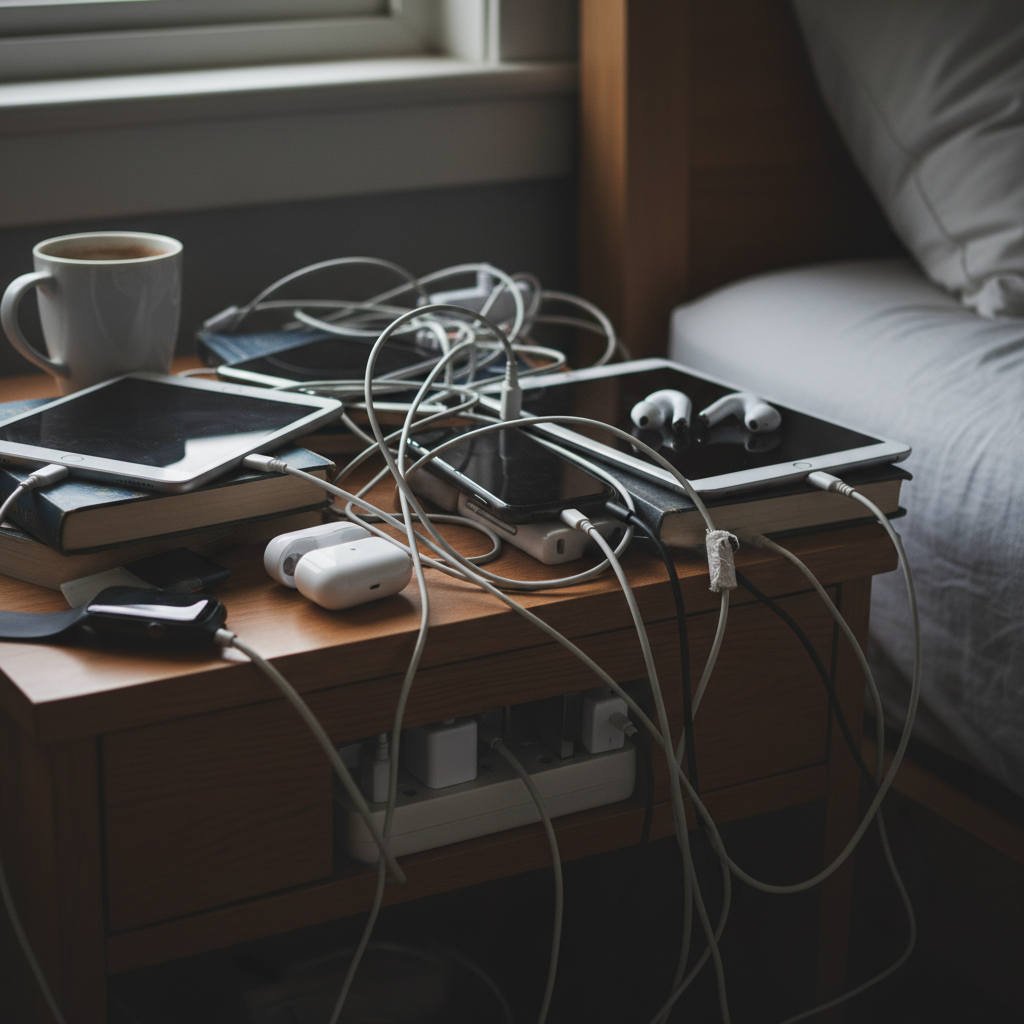
Most of us don’t give it a second thought. We plug in, and we forget. But those seemingly harmless charging habits? They can be quietly wreaking havoc on your devices, your electricity bill, and even your peace of mind. I’ve learned this the hard way – and trust me, it’s a lesson worth sharing.
The Overcharging Trap: Why It’s Worse Than You Think
It’s a common scene: You leave your phone plugged in overnight, every night. Or maybe your laptop is always connected to the charger, “just in case.” Sounds convenient, right? Actually, it’s not so harmless.
Here’s the thing: Modern smartphones and laptops use lithium-ion batteries. These batteries are pretty smart, but they’re not perfect. They don’t like being constantly topped off at 100%. When a device is fully charged, the charger is supposed to stop feeding it power. But sometimes, that “stop” isn’t perfect. The charger might trickle in tiny amounts of electricity, keeping the battery at a constant, stressed-out 100%. Over time, this constant stress can degrade the battery’s capacity, meaning it won’t hold a charge as long as it used to.
Think of it like this: Imagine you’re always running a marathon. You might be able to do it for a while, but eventually, you’ll burn out. Your battery feels the same way.
Beyond Battery Life: The Hidden Costs of Bad Charging Habits
Okay, so maybe your phone’s battery isn’t quite what it used to be. Annoying, but not the end of the world, right? Well, there’s more to it than just that. Your charging habits can also affect:
- Device Lifespan: Constant overcharging puts extra strain on your device’s internal components. This can lead to your phone or laptop eventually failing faster.
- Electricity Bills: Even if the power draw is small, leaving chargers plugged in constantly uses electricity. It’s called “phantom load,” and it adds up over time. You might not notice it much with a single charger, but multiply that by all the chargers in your house, and it can start to make a dent in your bills.
- Home Safety: Overheated chargers are a potential fire hazard. Although rare, a faulty charger or a surge in the electrical current can cause a fire. Keeping chargers in good condition and unplugging them when not in use minimizes this risk.
Common Mistakes We Make (Without Realizing It)
We’re all guilty of these at some point. Here are some of the most common charging blunders and why they’re not doing your devices any favors:
- Leaving chargers plugged in all the time: Even if your device isn’t connected, the charger is still drawing power.
- Charging in extreme temperatures: Heat and cold are both enemies of lithium-ion batteries. Avoid charging your devices in direct sunlight or freezing temperatures.
- Using cheap or non-approved chargers: These chargers may not have the proper safety features and can damage your devices or even pose a fire hazard.
- Charging overnight, every night: As mentioned earlier, this keeps your battery at 100% for extended periods, accelerating degradation.
Busting the Myths: The Truth About Charging
The internet is full of “charging hacks,” but not all of them are accurate. Let’s clear up some common misconceptions:
- Myth: “You should always let your phone battery drain completely before charging it.” Reality: This advice comes from the days of nickel-cadmium batteries. Lithium-ion batteries actually perform better if you charge them more frequently and don’t let them drain completely.
- Myth: “Using a fast charger always damages your battery.” Reality: Fast charging generates heat, which can affect battery health over time. But modern devices are designed to handle fast charging safely. Just avoid it if you don’t need it.
- Myth: “Once my device is charged, the charger stops using energy.” Reality: Many chargers still draw a small amount of power even when the device is full. Unplugging them is the best way to save energy.
Smart Charging Habits for a Smoother Life
The good news is, fixing these charging habits doesn’t require a complete lifestyle overhaul. Here are some simple, practical tips that can make a big difference:
- Unplug chargers when they’re not in use: This is the easiest and most effective way to save energy.
- Charge your devices during the day: Instead of leaving them plugged in overnight, top them up during the day when you’re around.
- Avoid extreme temperatures: Don’t charge your devices in direct sunlight or in freezing cold environments.
- Use quality chargers: Stick to the chargers that came with your devices or buy certified replacements from reputable brands.
- Don’t always charge to 100%: Charging your device to around 80% is often sufficient for daily use and can extend battery life.
- Consider a smart power strip: These power strips can detect when a device is fully charged and automatically cut off the power, preventing overcharging.
Why These Habits Matter More in 2026
In today’s tech-heavy world, our reliance on devices is greater than ever. We’re using them for work, communication, entertainment, and everything in between. This increased usage puts more stress on our batteries, making good charging habits even more crucial. Plus, with the rising cost of energy, every little bit of savings helps. Smart charging isn’t just about preserving your devices; it’s about making the most of your resources.
The Long-Term Benefits: Peace of Mind and Savings
Adopting these simple charging habits won’t just extend the life of your devices. They’ll also give you peace of mind. Knowing you’re taking care of your tech, saving a little money on your electricity bills, and reducing the risk of potential hazards is a good feeling. It’s about being proactive and taking small steps to create a smoother, more efficient daily life.
Ultimately, these habits are about being a bit more mindful of how we use and care for the technology that surrounds us. And trust me, once you change these habits, everything feels easier. You’ll have fewer breakdowns, save money, and have a more reliable experience with your gadgets.
FAQ: Your Charging Questions Answered
Here are some frequently asked questions about charging, along with straightforward answers:
Q: Does leaving my phone plugged in overnight really damage the battery?
A: Yes, it can. While modern phones have safety features to prevent major issues, constantly keeping your battery at 100% puts extra stress on it, which can shorten its lifespan.
Q: Is it okay to use a fast charger all the time?
A: Fast charging generates heat, which can affect battery health over time. While modern devices are designed to handle fast charging safely, it’s best to avoid it if you don’t need it.
Q: How often should I let my phone battery drain completely?
A: You don’t need to let your phone drain completely. In fact, it’s generally better to charge it more frequently and avoid letting it drop below 20%.
Q: What’s the best way to charge my laptop?
A: Ideally, remove the charger once the laptop is fully charged. Laptops have similar battery chemistry as phones, so the same rules apply.
Q: Can a bad charger damage my device?
A: Absolutely. Cheap or non-approved chargers may not have the proper safety features and can damage your devices or even pose a fire hazard. Always use quality chargers from reputable brands.
Q: How much energy do chargers use when nothing is connected?
A: Chargers still use a small amount of electricity, even when no device is connected. This “phantom load” adds up over time, so it’s best to unplug chargers when they’re not in use.
Q: What are the signs of a failing phone battery?
A: Common signs of a failing phone battery include: the battery drains quickly, the phone shuts down unexpectedly, or the phone takes a long time to charge.
Q: Should I use the charging cable that came with my device?
A: Yes, using the original charging cable is always a good idea. These are designed to work perfectly with your device, and are the safest option. If you need a replacement, be sure to buy a cable from a reputable brand.
By making these small adjustments to your daily routine, you can take better care of your devices, save money, and reduce potential risks. It’s all about creating a smarter, more efficient life, one charge at a time.
If you’re interested in learning more about home safety and appliance habits, you might find this related article helpful: The Silent Guardians: How Small Appliance Habits Protect Your Home and Wallet.
Want more tips on making your home and life run smoother? Explore more resources at .