
We’ve all been there, right? You walk through your house at night, flipping off lights in empty rooms. You might even unplug chargers when they’re not in use. But what about the stuff you *don’t* see? The gadgets and appliances that are quietly sucking power, even when they’re “off”? This is the world of “phantom load,” and it’s a bigger problem than most people realize. It’s time to tackle these unseen energy vampires and start saving some serious money.
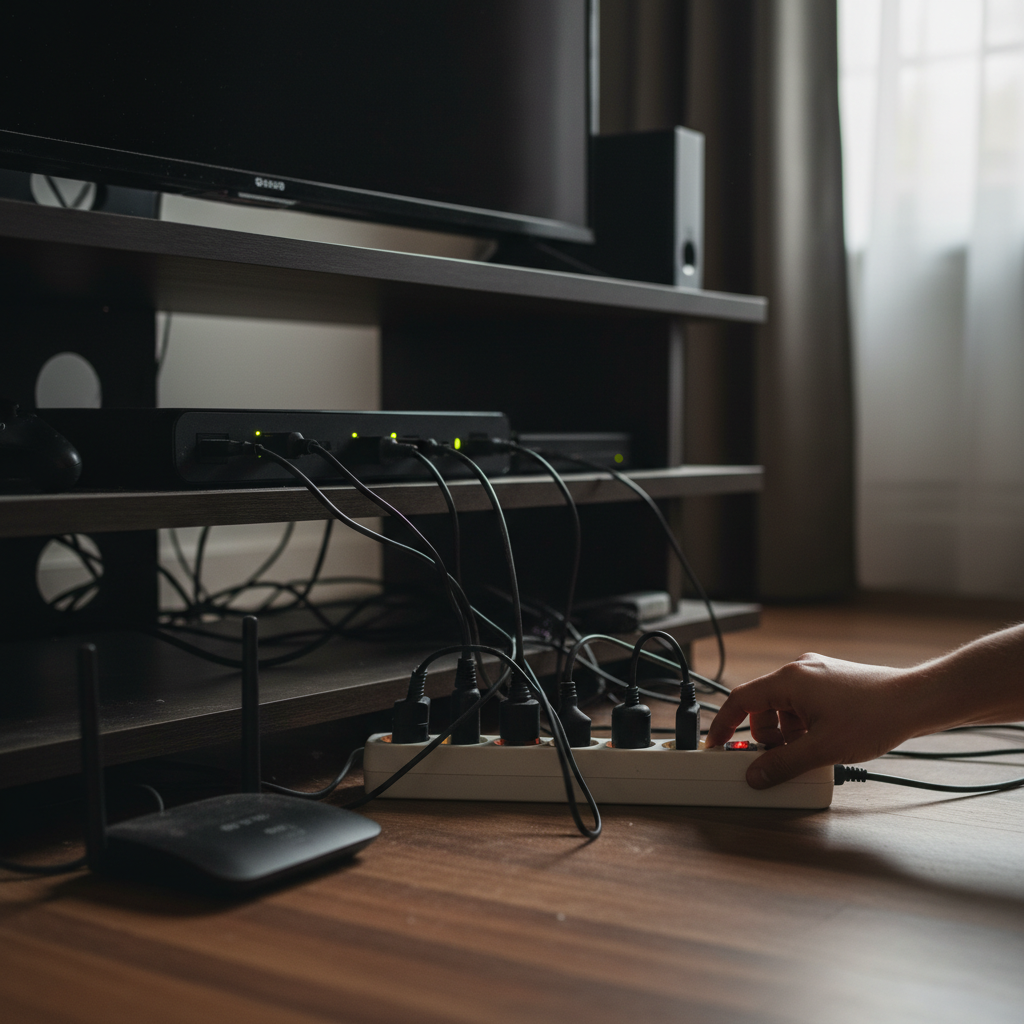
The Sneaky Drain of Standby Power
Most of our electronics and appliances, from TVs and computers to microwaves and gaming consoles, draw power even when they’re not actively being used. This is called standby power, or phantom load. Think about your TV: It’s “off,” but it’s still ready to spring to life at the press of a button on your remote. That little convenience comes at a cost.
Most people don’t think twice about this. After all, it’s just a tiny amount of electricity, right? Wrong. This small habit quietly causes a much bigger impact than you’d imagine. Over the course of a year, all that phantom load adds up, increasing your electricity bill and contributing to unnecessary energy consumption. It’s like having a slow leak in your wallet.
The Hidden Costs: Device Life, Home Safety, and Your Wallet
Let’s break down how this seemingly minor habit impacts different areas of your life:
Device Life
Constantly drawing standby power can subtly shorten the lifespan of your electronics. The internal components of devices generate heat, and even when “off,” some components are still working. The constant heat cycling can degrade these components over time, leading to earlier failures. You might not notice it immediately, but those extra months of life for your devices can add up to serious savings in the long run.
Home Safety
While rare, there’s always a small risk of fire when electronics are plugged in, even if they’re not in use. A power surge, faulty wiring, or an internal malfunction can potentially cause a fire. Unplugging devices when you’re not using them minimizes this risk and offers added peace of mind, especially when traveling or during storms.
Electricity Bills
This is where the rubber meets the road. Phantom load can easily add 5-10% to your electricity bill each month. While the exact amount varies depending on your appliances and electricity rates, the cumulative cost over a year can be significant. This is money that could be staying in your pocket!
Common Mistakes and Myths to Ignore
There are some “shortcut tips” floating around that simply don’t hold water. Let’s debunk a few common myths:
- Myth: “Leaving my phone charger plugged in doesn’t use any power.”
- Reality: Even when your phone is fully charged, the charger continues to draw a small amount of power. Unplug it when not in use.
- Myth: “Turning off the TV with the remote is enough.”
- Reality: Using the remote only puts the TV in standby mode. You’re still paying for power. Always use the power button on the TV itself, or better yet, unplug it.
- Myth: “Newer appliances are energy efficient, so I don’t need to worry.”
- Reality: While newer appliances are generally more efficient, they still draw standby power. Don’t let the “energy-efficient” label lull you into a false sense of security.
Simple, Actionable Tips to Eliminate Phantom Load
The good news is that reducing phantom load is easier than you think. Here are some simple, practical tips that anyone can apply:
- Use Power Strips: Plug multiple devices into a power strip and turn the strip off when you’re not using them. This is the easiest and most effective way to cut off power to multiple devices at once. Consider using smart power strips that automatically cut off power to devices when they’re not in use.
- Unplug Chargers: Unplug phone chargers, laptop chargers, and other small chargers when they’re not connected to a device.
- Unplug Appliances: Unplug appliances like microwaves, coffee makers, and blenders when they’re not in use.
- Be Mindful of “Smart” Devices: Smart TVs, smart speakers, and other connected devices often consume more standby power than older models. Unplug them or use smart plugs.
- Consider Energy-Efficient Appliances: When replacing appliances, look for the Energy Star label. These appliances are designed to use less energy in both active and standby modes.
- Use a Kill-A-Watt Meter: If you want to get really serious, use a Kill-A-Watt meter to measure the energy consumption of your devices. This can help you identify the biggest energy hogs in your home.
These habits are especially important in 2026. With more of us relying on multiple devices, from smartphones and tablets to smart home gadgets and entertainment systems, the potential for phantom load has never been greater. Your smartphone, for example, is constantly connected, charging, and consuming energy in multiple ways. Smart homes, which promise convenience, can also contribute to the hidden energy drain.
Long-Term Benefits: Peace of Mind, Savings, and Fewer Breakdowns
Once you change this, everything feels easier. The initial effort of unplugging or using power strips quickly becomes a habit. The long-term benefits are substantial:
- Reduced Electricity Bills: Save money every month.
- Extended Device Lifespan: Protect your electronics from premature failure.
- Increased Home Safety: Reduce the risk of electrical fires.
- Peace of Mind: Know that you’re doing your part to conserve energy and reduce your carbon footprint.
It’s not just about saving money, though that’s a big motivator! It’s also about a more thoughtful, efficient way of living. It’s about taking control of your home energy consumption and protecting your valuable devices.
Consider the energy you could save over a year! The cumulative effect is a surprising amount of money, which can be used for a small vacation, a nice dinner, or even put into savings. The financial gains alone make this a smart choice.
Beyond the financial savings, you’re making a conscious choice to minimize your environmental impact. Every kilowatt-hour saved is one less that needs to be generated, reducing the strain on power plants and decreasing greenhouse gas emissions.
Frequently Asked Questions
Here are some of the most common questions people have about phantom load and how to address it:
- Does it really make a difference if I unplug my phone charger? Absolutely! Even a small amount of power draw, repeated over time, adds up.
- Are smart TVs big energy consumers? Yes, smart TVs and other connected devices often consume more standby power. Consider using a smart plug to completely cut off power when they’re not in use.
- Will unplugging appliances damage them? No, unplugging appliances will not damage them. In fact, it can sometimes extend their lifespan.
- How can I tell which appliances are using the most standby power? A Kill-A-Watt meter can measure the energy consumption of your devices.
- Is it worth the effort to unplug things? Yes! The effort is minimal, and the savings add up over time. It becomes a natural part of your routine.
- What’s the best way to manage phantom load? Using power strips is the easiest and most effective way to control phantom load.
- How much money can I realistically save? Savings vary, but you can often reduce your electricity bill by 5-10% or more.
- Do newer appliances use less standby power? While newer appliances are often more energy-efficient, they still consume standby power. Don’t assume they’re immune to phantom load.
In the tech-saturated world we live in, we must be mindful of how our devices consume energy. Don’t let unseen home energy vampires silently drain your finances. Take control of your home’s energy use and enjoy the peace of mind that comes with a smart, efficient lifestyle. By taking small, consistent actions, you can create positive change in your home, and your pocketbook. Check out the Energy System for more tips on energy efficiency.